Free Runs right in your browser

Couple Sticker Maker

Your own wedding stickers, with your faces. Add a clear photo of the two of you, choose your wedding outfits, an art style and up to 12 sticker ideas, and get a ready prompt for ChatGPT or Gemini. Bring the sheet back and it is cut into WhatsApp stickers.

✓ No upload, 100% private✓ No sign-up✓ Works on phone & desktop

1 A clear photo of you two

One photo with both faces, or one photo of each of you
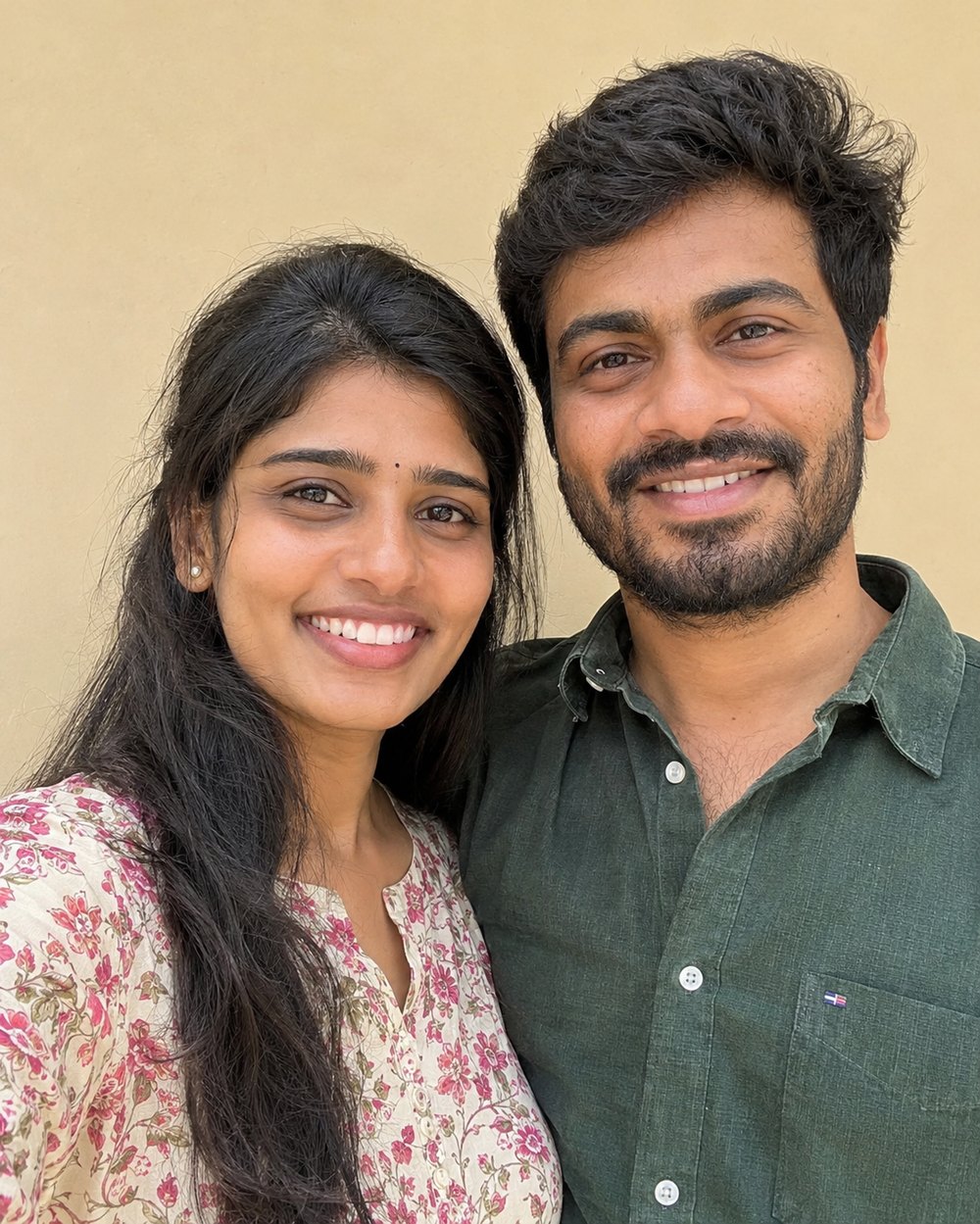
Sharp, in daylight, both looking at the camera, no sunglasses. The clearer the faces, the more the stickers look like you.
JPG · PNG · HEIC. Your photo stays on your phone until you attach it in the AI app yourself.

2 Outfits and art style

3 Pick up to 12 stickers

✏️ Change the words on the stickers

4 Make the sheet in ChatGPT or Gemini

  1. Tap Open ChatGPT or Open Gemini: the prompt is copied for you.
  2. Attach your photo (the one saved in step 1), paste the prompt and send.
  3. Download the picture you get. Not quite right? Ask the app to fix one sticker.

5 Turn the sheet into WhatsApp stickers

Add the picture the AI made: it opens in the Sticker Sheet Splitter, which cuts out every sticker and gives you a WhatsApp pack and PNGs.

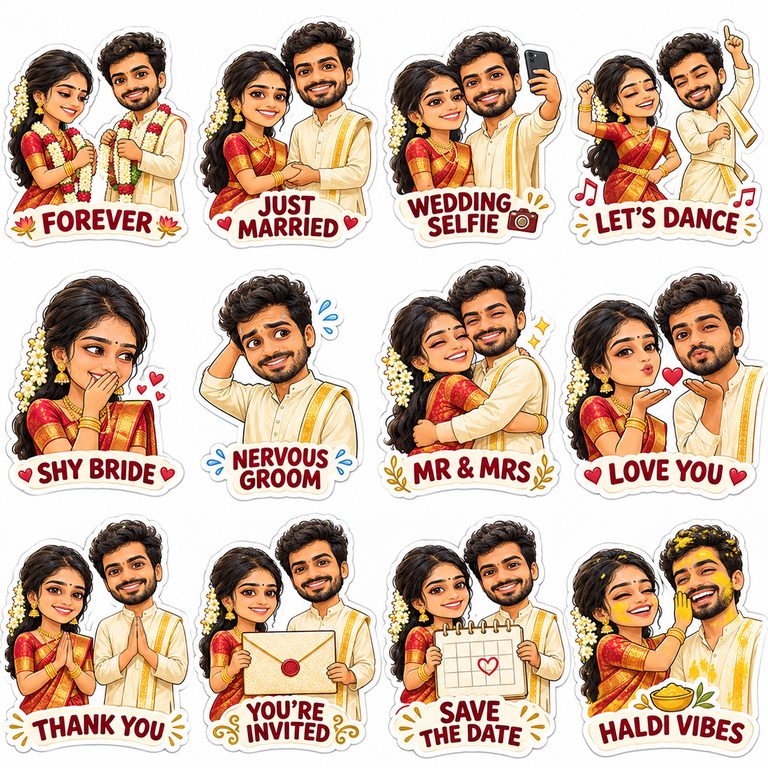
The clear photo used for the example→Example: a sticker sheet of a couple in Telugu wedding outfits made from one photo
Example made from our sample photo with the Telugu wedding and Cute chibi choices.

Missing an option? Suggest an improvement or ask for a new tool.

How to make wedding stickers of yourselves

  1. Add one sharp photo with both your faces, or one photo of each of you (they are joined side by side)
  2. Pick your outfits (Telugu, Tamil, Kannada, Kerala, North Indian, Marathi, Bengali, Nikah, white wedding, haldi, reception) and an art style
  3. Choose up to 12 stickers and change their words if you like
  4. Tap Open ChatGPT or Open Gemini, attach your photo, paste the prompt and send
  5. Add the sheet you get: the Sticker Sheet Splitter cuts it into a WhatsApp pack and PNGs

Tips for stickers that look like you

  • The photo matters most: faces large, sharp and in daylight, both looking at the camera. A wedding-shoot or engagement photo works well.
  • Only the outfits change: the prompt asks the AI to keep your faces, hair and skin tone as they are and describes only the clothes you choose, so it does not guess anything about you.
  • Fix one sticker: if one face is off, ask in the same chat: fix sticker 5 so the bride looks like the photo.
  • Ready-made packs: no photo? See the wedding packs in WhatsApp Sticker Packs.

Frequently asked questions

Quick answers about the couple sticker maker tool.

Is it free?

Yes. The page is free; ChatGPT and Gemini have free plans that make images, with daily limits.

Do you upload my photo?

No. Your photo stays on your phone. You attach it to ChatGPT or Gemini yourself, and their privacy rules apply there.

Why does the AI change our faces?

Usually the photo is small or dark. Use a sharp photo with large faces, and ask the AI to fix the sticker that looks off.

Can we use them on WhatsApp?

Yes. The Sticker Sheet Splitter makes a WhatsApp sticker pack and single PNGs from the sheet.
More free image tools

Everything runs in your browser. Nothing is uploaded.