How to send photos to customers without WhatsApp (for photographers)
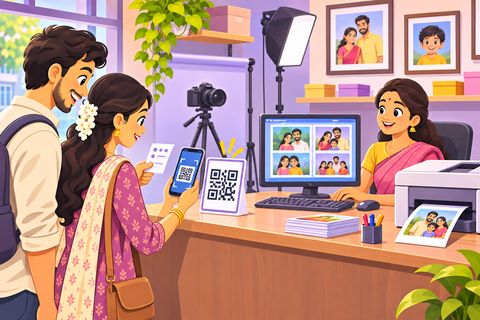
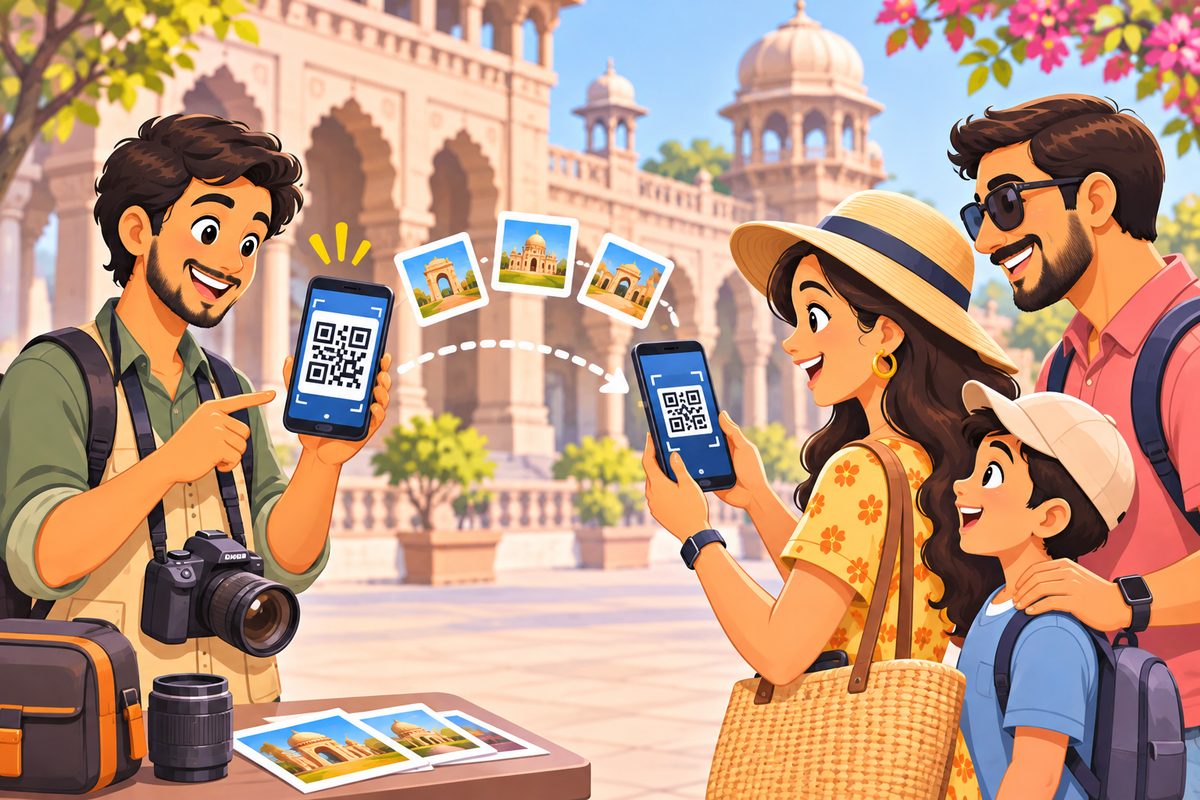
At a monument or a beach, every customer says “send it on my WhatsApp”. You end up with hundreds of strangers in your contacts, and WhatsApp squashes the photos you worked hard on. With Photo Drop you pick the customer’s photos, show a QR on your phone, and the photos go straight to their phone in full original quality. No number, no app, nothing uploaded.
Want payment first? Send watermarked previews, let them pick favourites, and send the originals after they pay you.
Steps
1Set up Photo Drop once
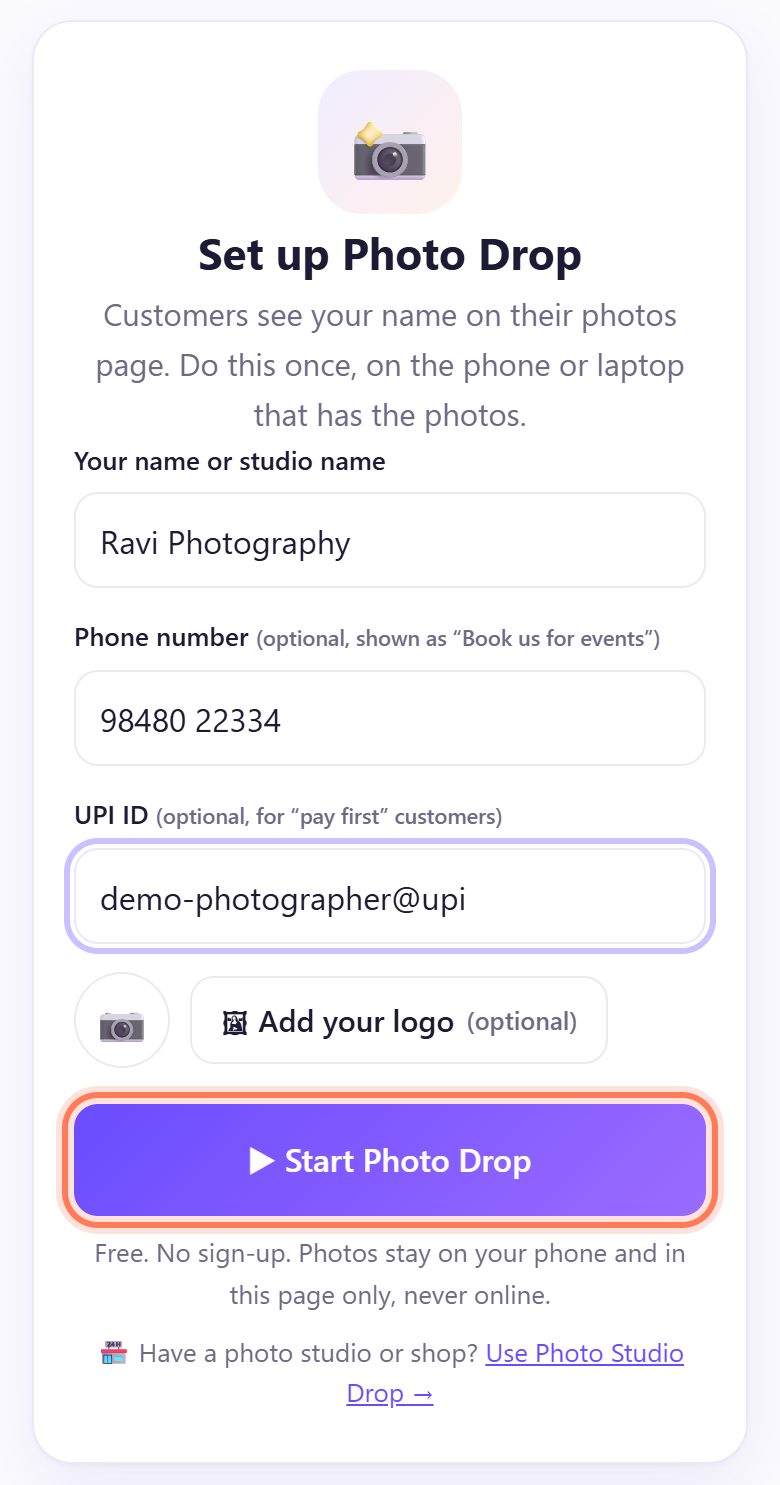
Open spritesplit.com/photo on the phone that has the photos. Type Your name or studio name. Add a Phone number if you want customers to see “Book us for events”, and a UPI ID if you will use “pay first”.
Tap ▶ Start Photo Drop. The page remembers you next time.
2Tap New customer
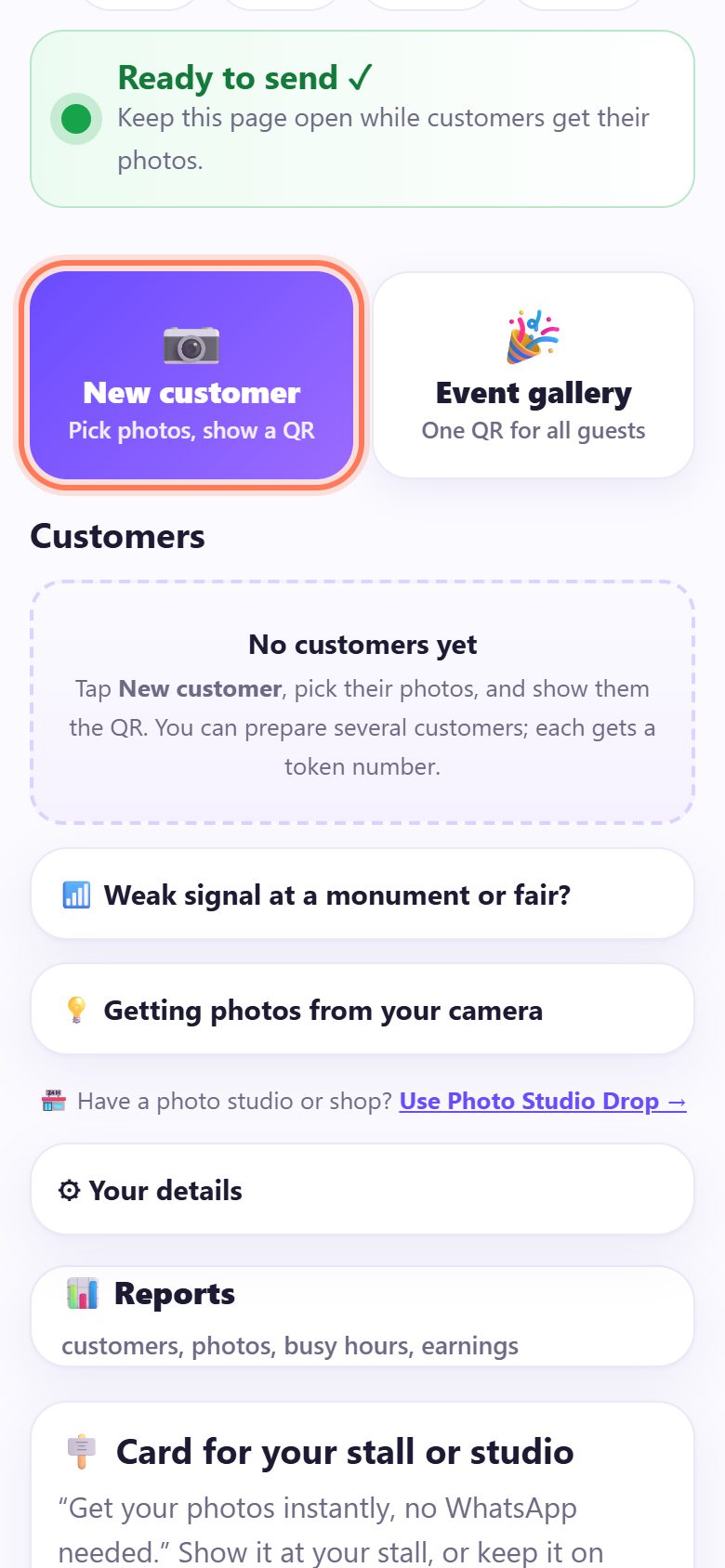
Wait for Ready to send ✓, then tap 📷 New customer (Pick photos, show a QR). Your gallery opens straight away.
💡 Tip: Photos on the camera? Copy them to the phone first with the camera’s Wi-Fi app (Canon Camera Connect, Nikon SnapBridge, Sony Imaging Edge, Fujifilm XApp) or an OTG card reader.
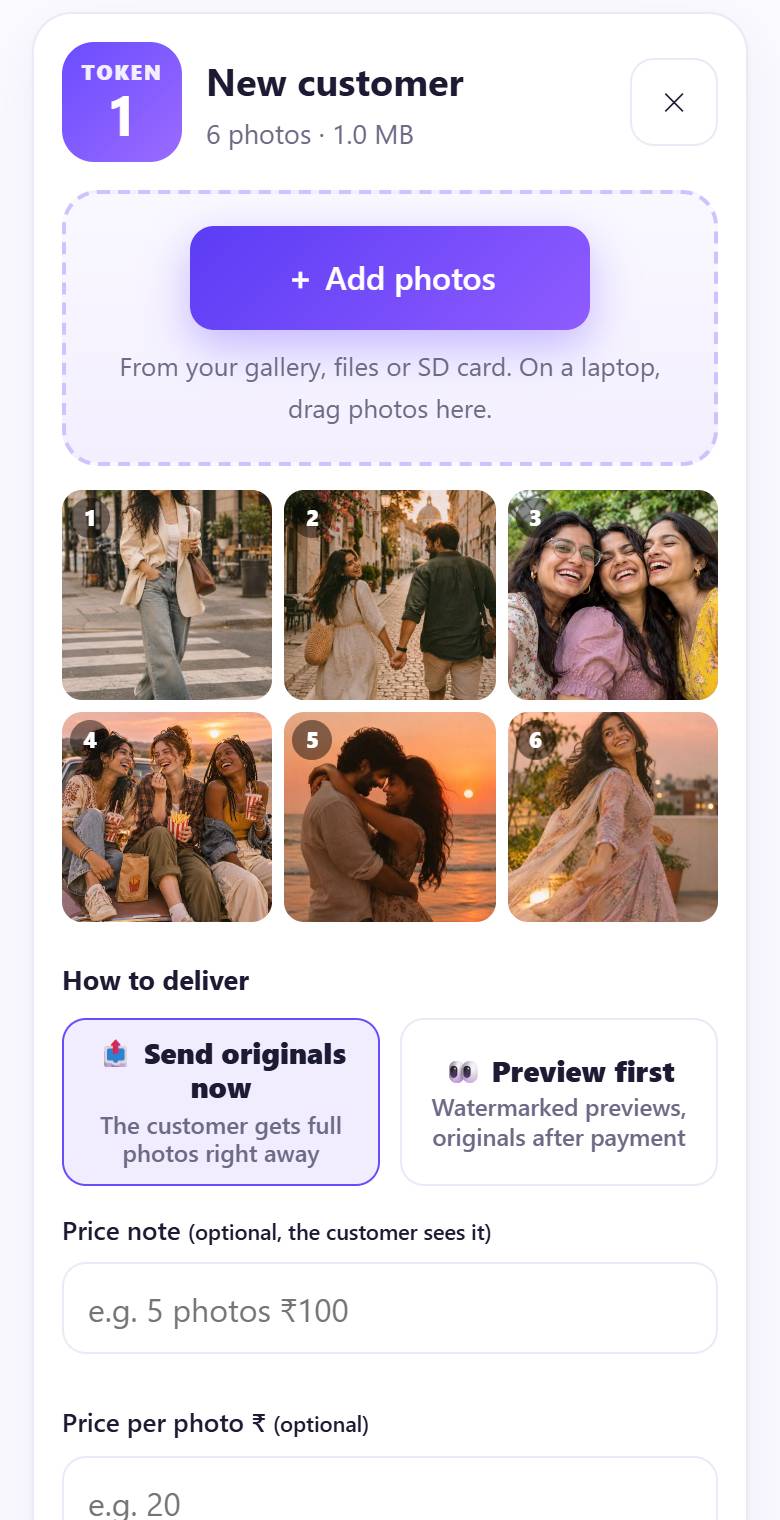
3Pick the customer’s photos
Choose their photos. They appear in a numbered grid with the customer’s TOKEN number. Tap + Add photos for more, or tap a photo to ◀ Move, Move ▶ or ✕ Remove it.
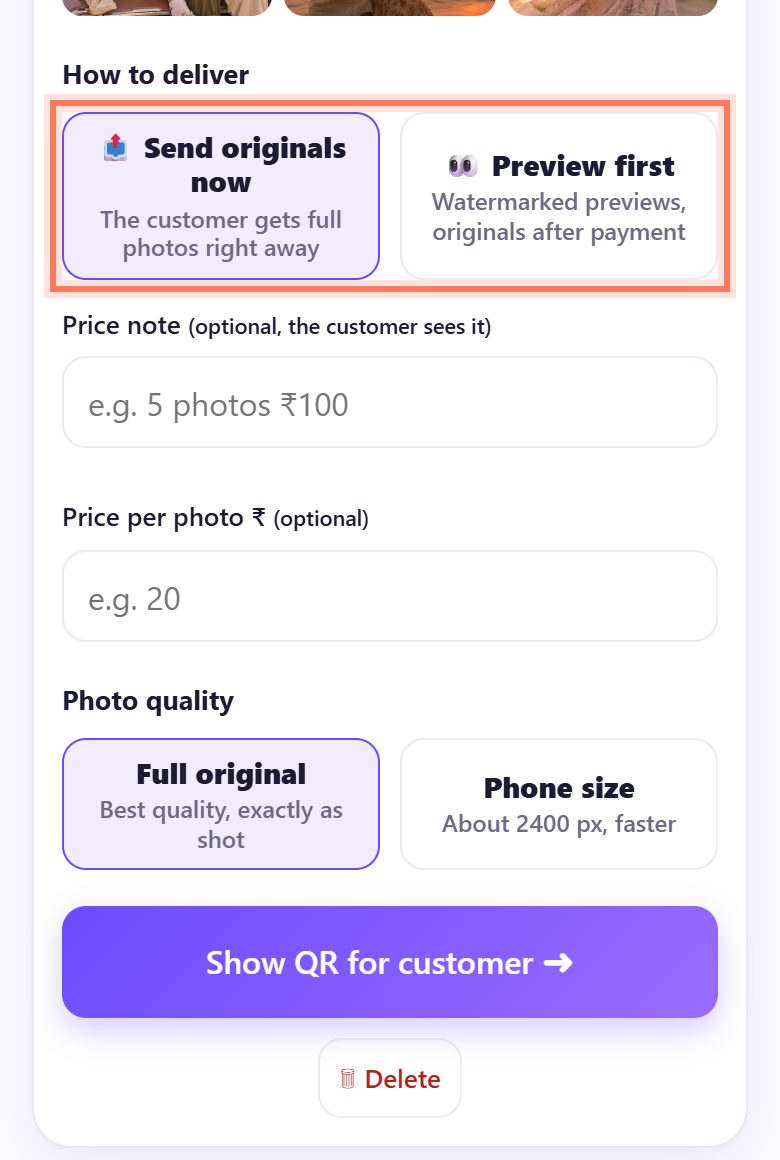
4Choose how to deliver
Under How to deliver:
- 📤 Send originals now: the customer gets the full photos right away.
- 👀 Preview first: watermarked previews, originals after payment. Add a Price note and a Price per photo.
Under Photo quality keep Full original, or pick Phone size (about 2400 px) when the signal is weak. Then tap Show QR for customer ➜.
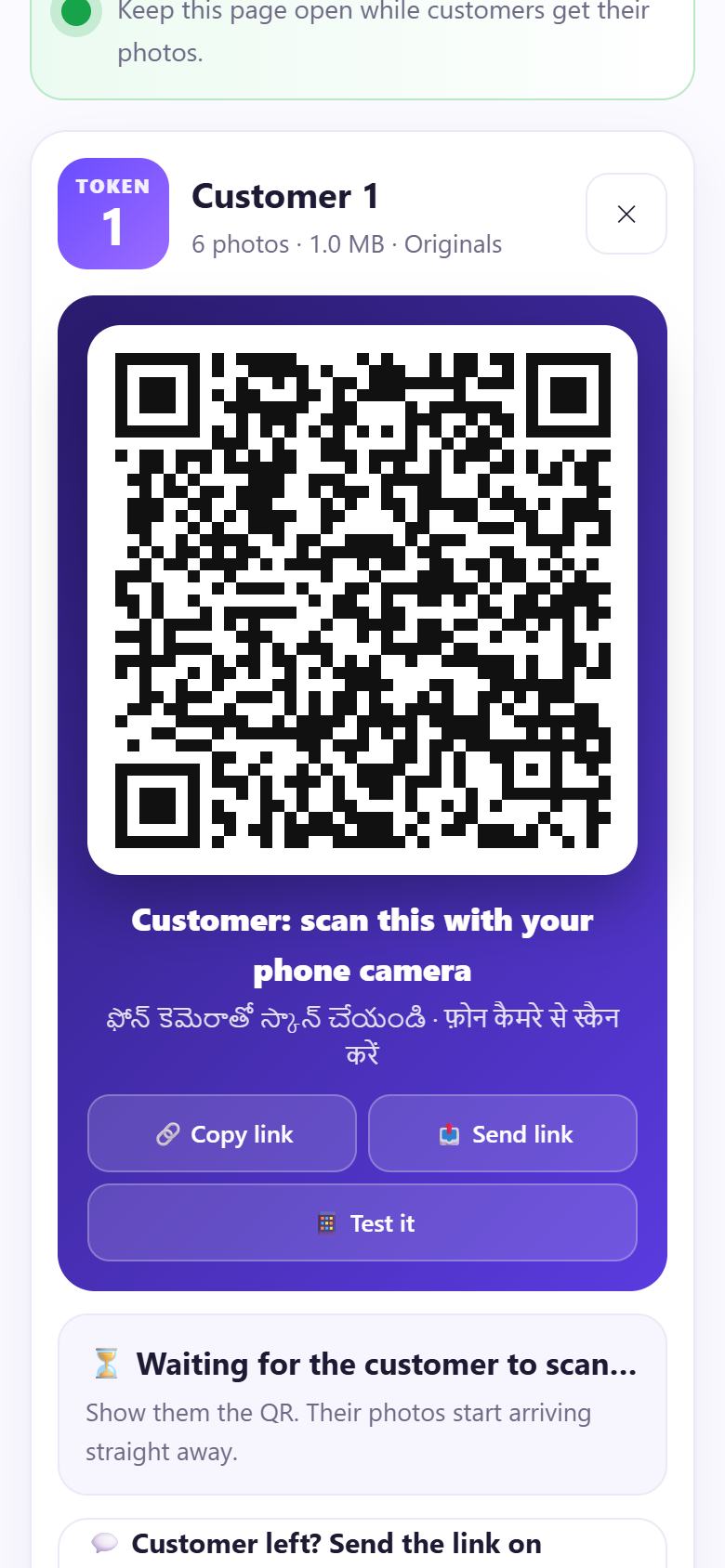
5Show the QR to the customer
A big QR appears with Customer: scan this with your phone camera (also in Telugu and Hindi). Turn your phone around. The customer scans it with the normal camera app.
Customer can’t scan right now? 📤 Send link shares their private link instead.
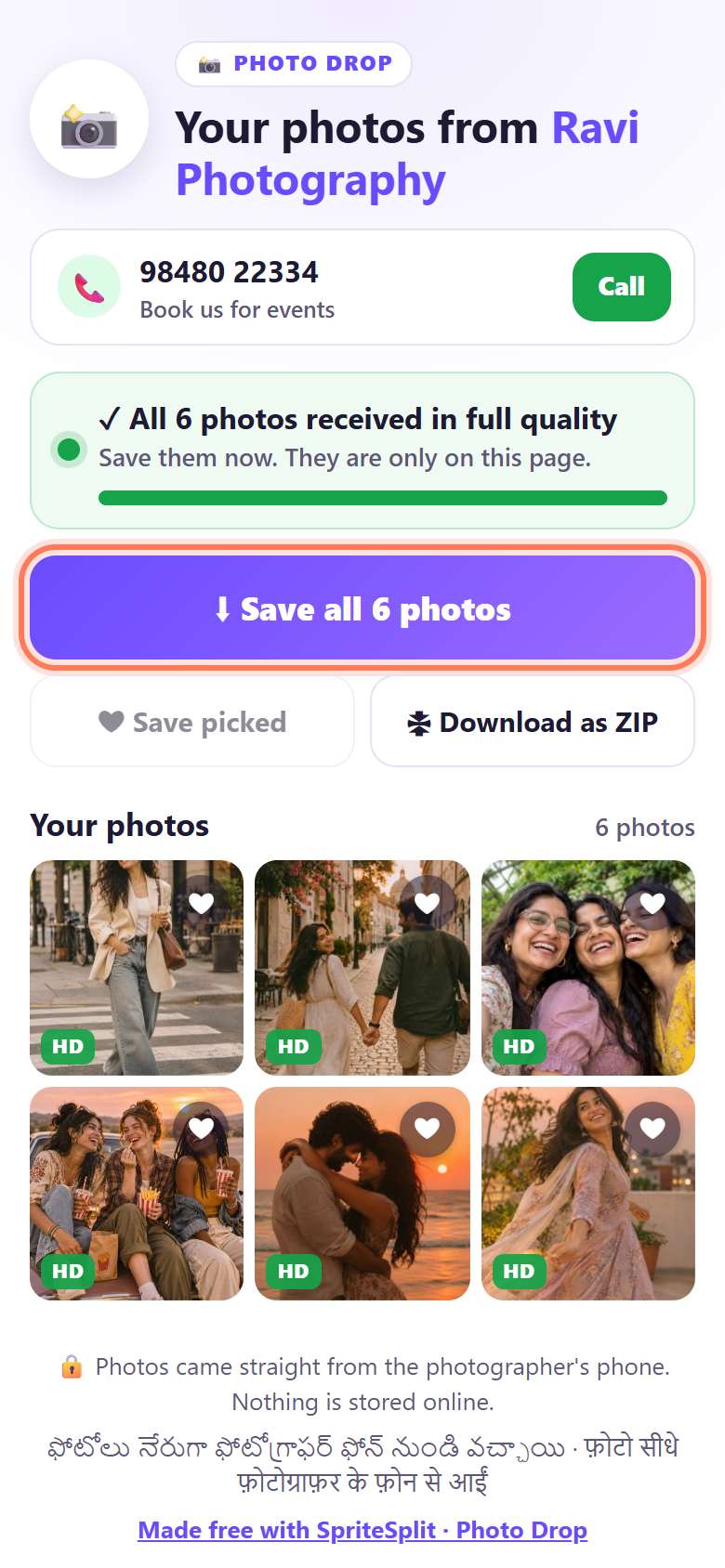
6Photos arrive on their phone in full quality
The customer sees Your photos from Ravi Photography, your phone number with a Call button, and ✓ All 6 photos received in full quality. They tap ⬇ Save all photos (iPhone: then Save Images) or 🗜 Download as ZIP.
Your screen says ✓ All 6 photos delivered. Tap Done ✓ to clear them from your phone.
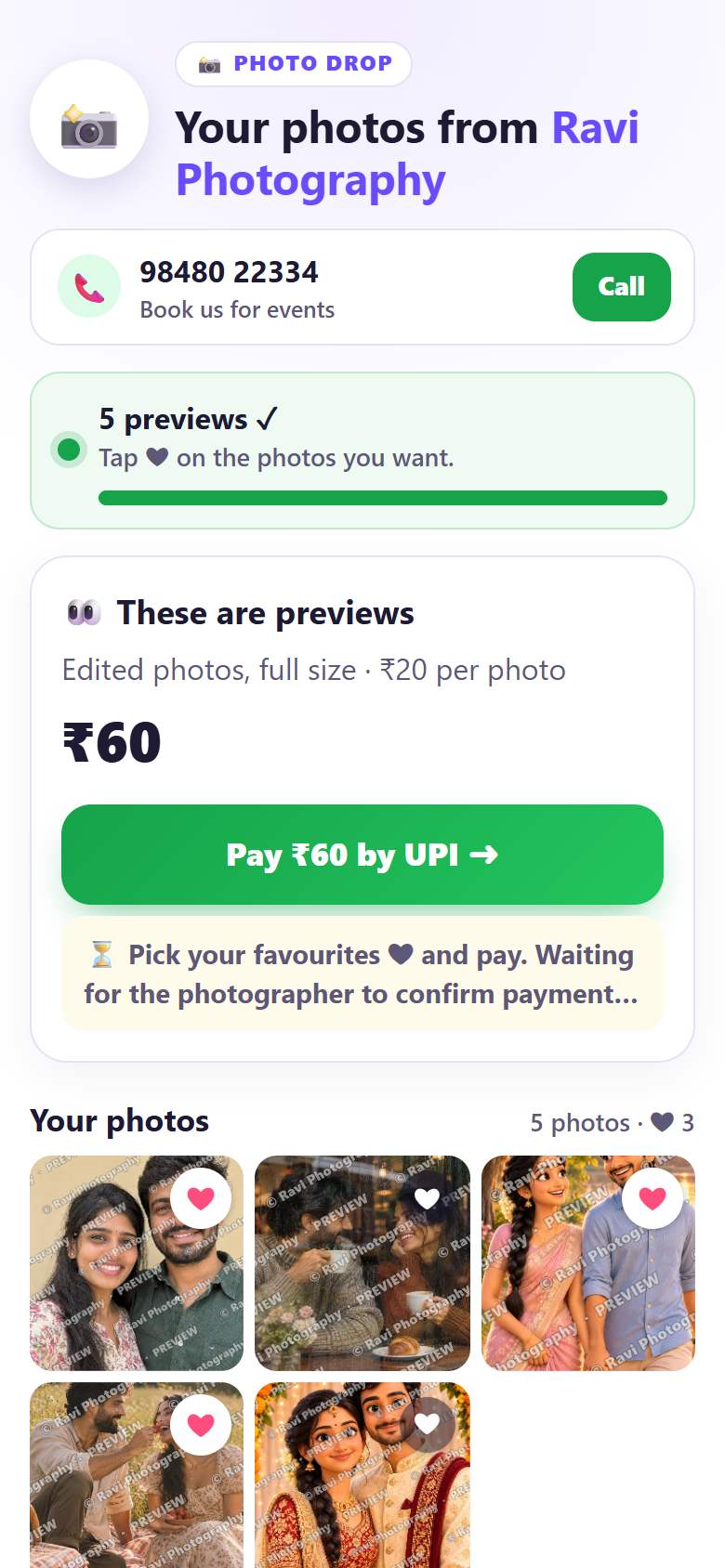
7Pay first: the customer picks favourites and pays
With 👀 Preview first, the customer sees These are previews with watermarked photos. They tap ❤ on the ones they want; the amount updates by itself. Pay ₹60 by UPI ➜ opens their UPI app with your UPI ID and the amount.
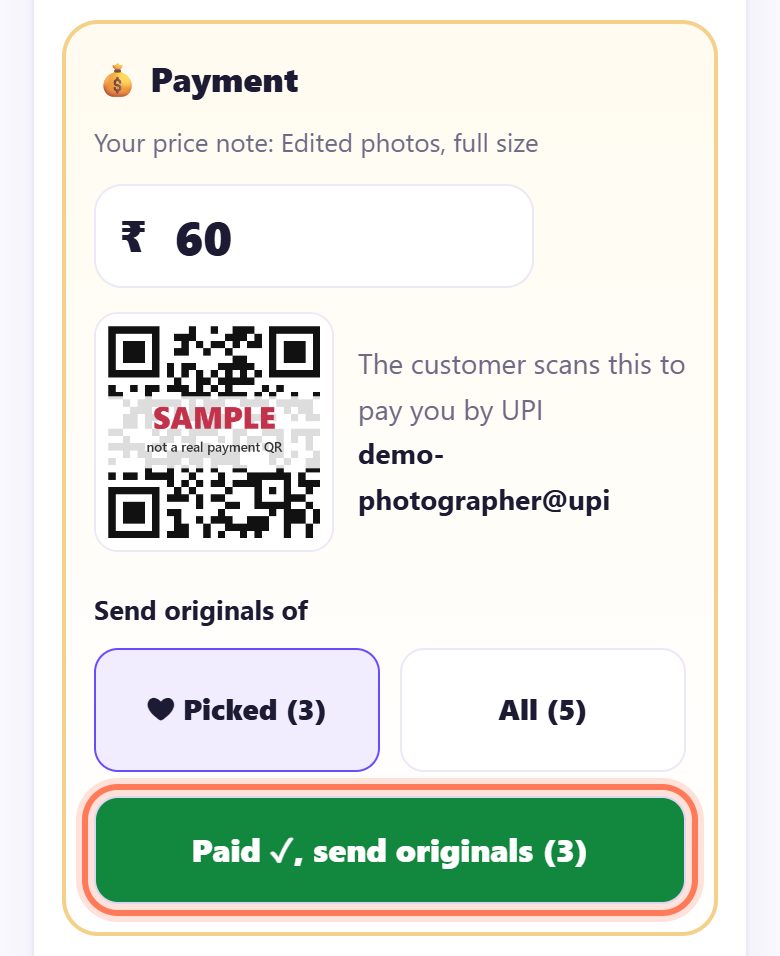
8Tap Paid ✓ and the originals go out
On your phone, the 💰 Payment panel shows the amount and a UPI QR they can scan instead. Under Send originals of pick ❤ Picked or All. When the money reaches you, tap Paid ✓, send originals. The full photos replace the previews on their phone.
At a busy spot
- Several customers at once: each gets a token (1, 2, 3…) and their own QR. The list shows who is waiting for scan, Sending or Delivered ✓.
- Weak signal at a monument or fair: turn on your phone hotspot and ask the customer to join it, then scan. Photos go phone to phone without using much data.
- Customer already left: open their token, tap 💬 Customer left? Send the link on WhatsApp, type their number and tap 💬 Send on WhatsApp. You don’t need to save the contact.
- Stall card: scroll down to 🪧 Card for your stall or studio for a printable “Get your photos instantly, no WhatsApp needed” card with your name, phone and UPI QR.
📝 Example: Ravi at Charminar
Ravi takes photos of visitors at Charminar. A college group asks for six photos. Ravi taps New customer, picks the six edited shots, keeps Send originals now and shows the QR. One of them scans it, and in a few seconds sees All 6 photos received in full quality and saves them. Ravi taps Done ✓ and turns to the next family.
The next couple is not sure how many they want. Ravi picks five photos, chooses Preview first with ₹20 per photo, and shows the QR. They heart three, pay ₹60 by UPI, and Ravi taps Paid ✓, send originals (3). The three full photos arrive on their phone. Ravi never asked for a phone number.
🛠 If something goes wrong
The customer’s phone says “Couldn’t connect on this network”
Turn on your phone hotspot and ask them to join it, or ask them to switch mobile data off and on and scan again. Both phones need a little internet once to find each other.
“The photographer’s page is not open”
Your Photo Drop page was closed or your screen locked. Open it again; the customer’s page keeps trying by itself. Keep the page open until the photos say delivered.
Photos are slow to arrive
Choose Phone size under Photo quality: about 2400 px, still sharp on any phone and fine for 6×8 inch prints. Your own Wi-Fi or hotspot is much faster than a busy mobile network.
The customer has an iPhone and can’t find the photos
On iPhone, Save all photos opens the share sheet: tap Save Images and they go into Photos. For one photo, open it, long-press and tap Save to Photos. A ZIP lands in the Files app.
“The customer’s page is closed”
They closed the browser before all photos came. Ask them to scan the same QR again; it carries on where it stopped.
“These photos are no longer here”
You tapped Done ✓, deleted the customer, or the hour ran out. Tap New customer, add the photos again and show the new QR.
No pay QR on the payment panel
Add your UPI ID in ⚙ Your details. The customer then also gets a Pay by UPI button on their phone.
🔒 Privacy in plain words
- Photos go straight from your phone to the customer’s phone over a direct, encrypted connection. They are never uploaded to SpriteSplit or any other server.
- On your phone they stay only in the open page and clear on Done ✓, after an hour, or when you close the page.
- You never need the customer’s number, and they never need yours (unless you choose to show it).
- Each customer’s QR opens only their own photos.
Questions people ask
Do my customers need WhatsApp or an app?
No. They scan your QR with the phone camera and the photos open in the browser. No app, no sign-up, no number.
Is the quality really full?
Yes. With Full original the customer gets the exact file from your camera, byte for byte. WhatsApp usually shrinks photos a lot.
Can I get paid before sending the originals?
Yes. Choose 👀 Preview first, add a price, and tap Paid ✓, send originals when the money arrives. Customers can pay by UPI from their phone.
How many photos can I send?
Up to 300 photos or 1.5 GB per customer while your page is open. Very big batches can slow down an older phone.
I have a studio with a counter. Is there something better?
Yes: Photo Studio Drop gives you one counter QR and a token + PIN slip for each customer.
Is it free?
Yes. Free for photographers and customers, with no limit on customers and no watermark of ours.
Related guides