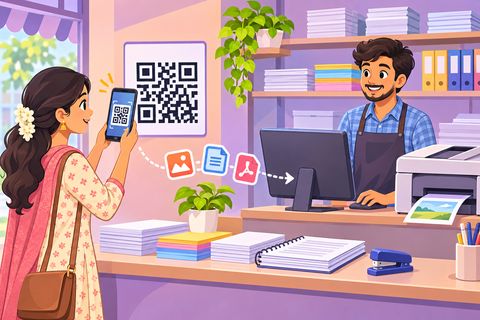
How to print from your phone at a xerox shop
Most documents arrive on the phone: a hall ticket in a college WhatsApp group, an offer letter on email, a form in Telegram. The hard part is getting that file from the chat to the shop’s printer without forwarding it to the shopkeeper. Here is how to do it with Print Drop, for Android and iPhone, including photos of paper pages.

Steps
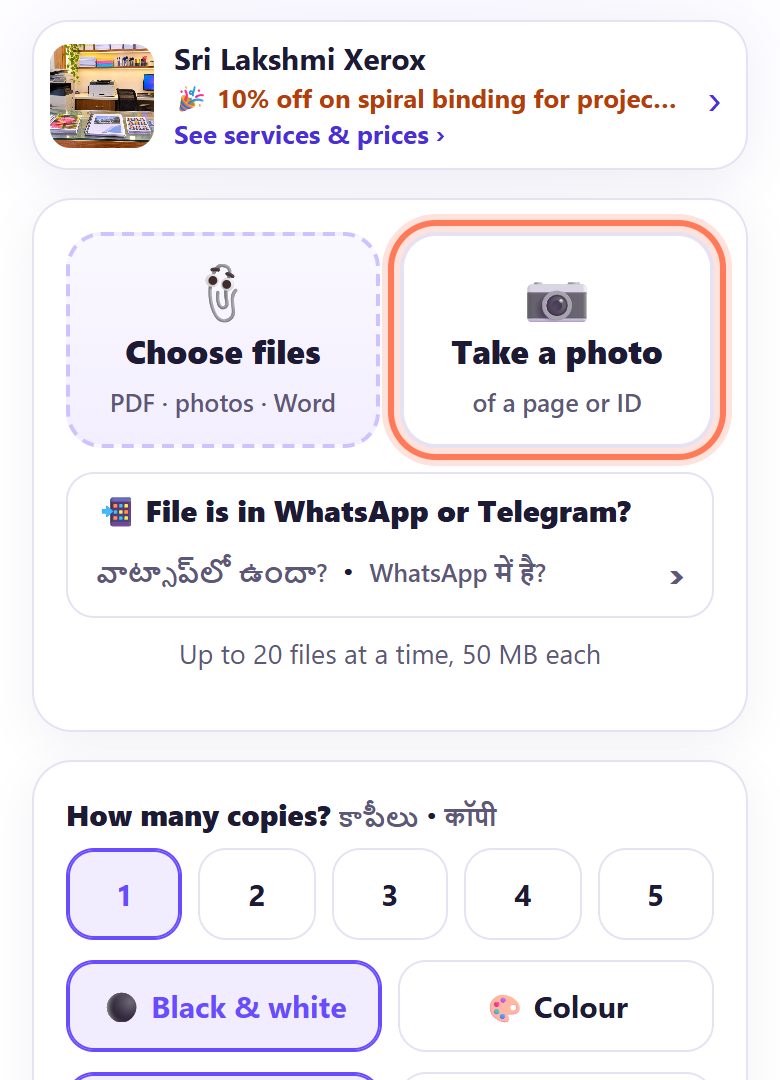
1Scan the shop’s counter QR and pick how to add files
Scan the Print Drop QR with your camera. On the page you get two big buttons: 📎 Choose files for files on your phone, and 📷 Take a photo to photograph a paper page, ID card or certificate right there.
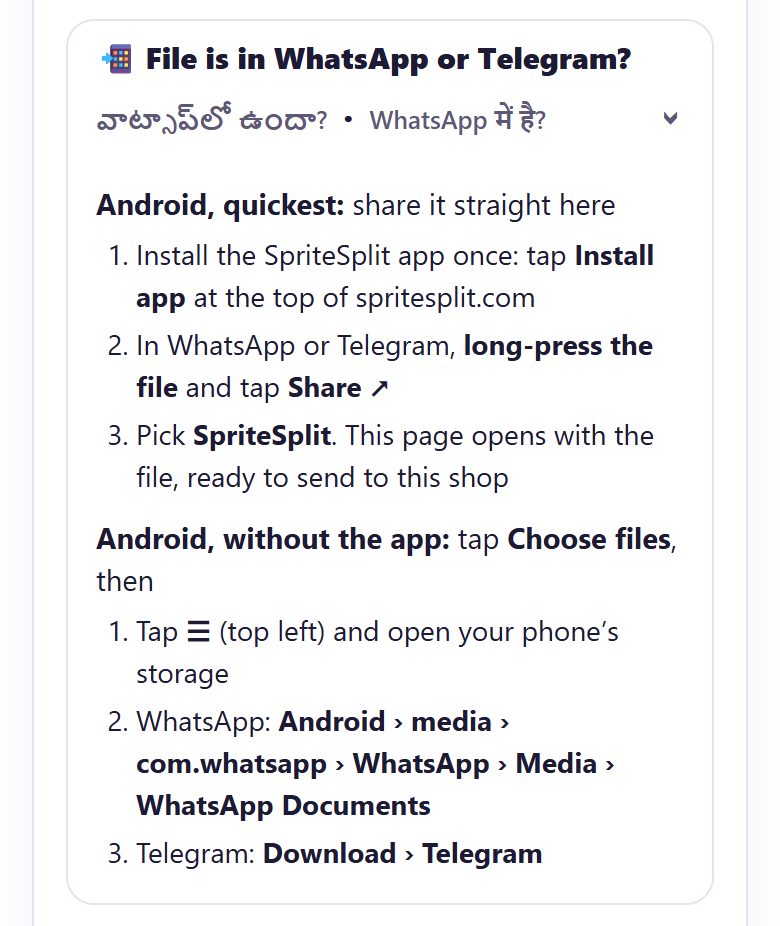
2File in WhatsApp or Telegram? (Android)
Tap 📲 File is in WhatsApp or Telegram?. On Android the quickest way is to share the file straight to SpriteSplit (next step). Without that, tap Choose files, then ☰ (top left), open your phone’s storage and go to:
- WhatsApp: Android › media › com.whatsapp › WhatsApp › Media › WhatsApp Documents
- Telegram: Download › Telegram
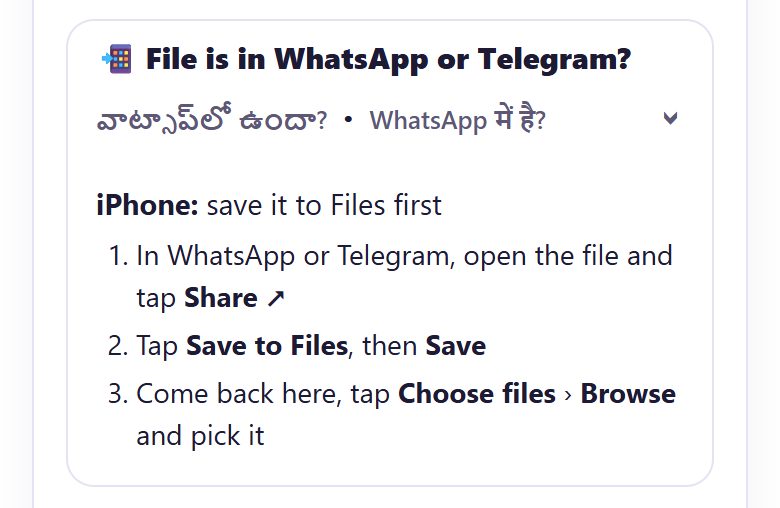
3File in WhatsApp or Telegram? (iPhone)
On iPhone, open the file in WhatsApp or Telegram, tap Share ↗ and Save to Files, then Save. Come back to the Print Drop page, tap Choose files › Browse and pick it.
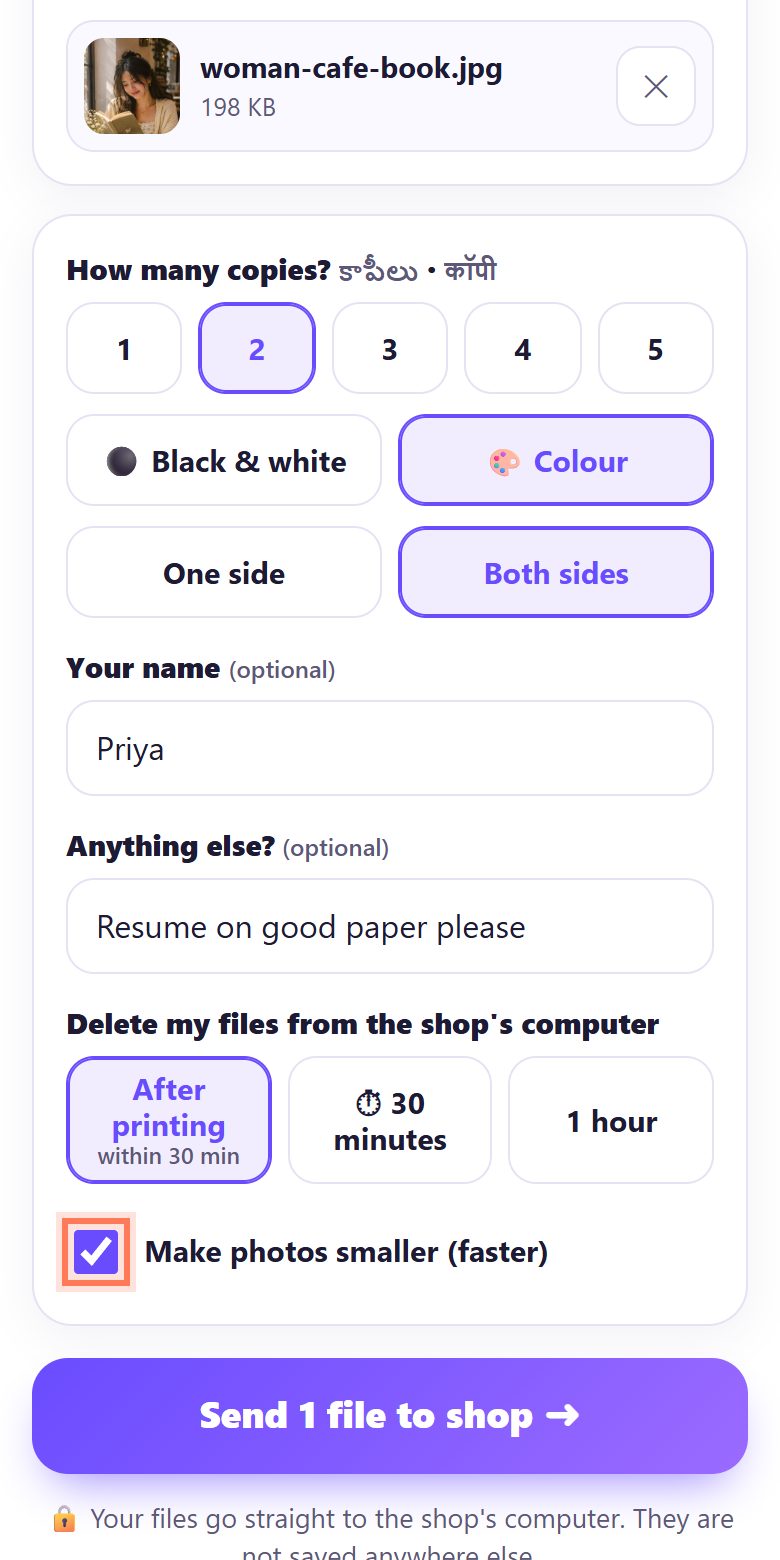
4Photos: keep “Make photos smaller” on for documents
Make photos smaller (faster) is ticked by default: big phone photos (over 1.5 MB) are reduced to 2000 pixels before sending, which is plenty for an A4 page and much faster on mobile data.
Printing a photo for a frame or album? Untick it so the shop gets the full original.
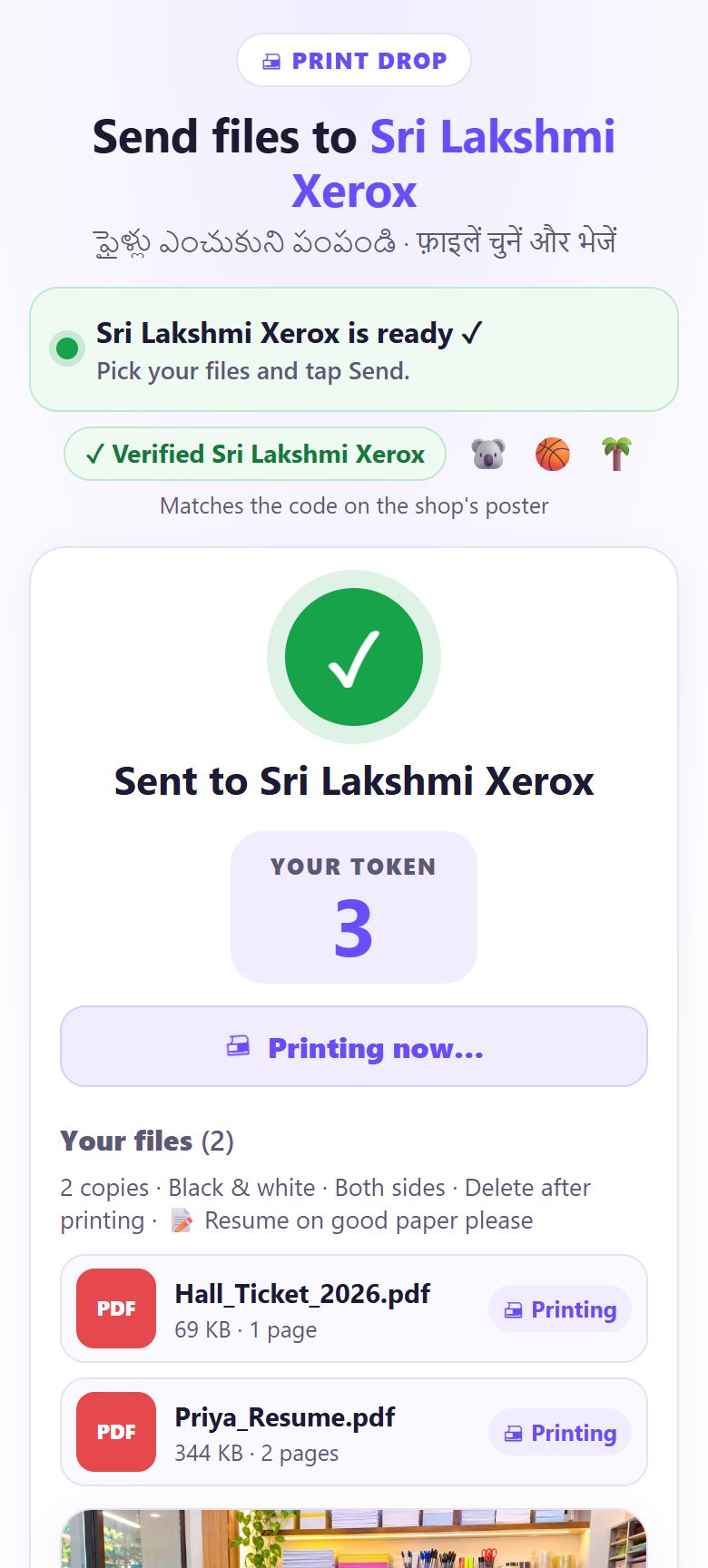
5Watch the status, then collect
After you tap Send, your token and status stay on the screen: waiting, Printing now…, then Printed, collect at the counter. You don’t have to stand at the counter; just keep the page open.
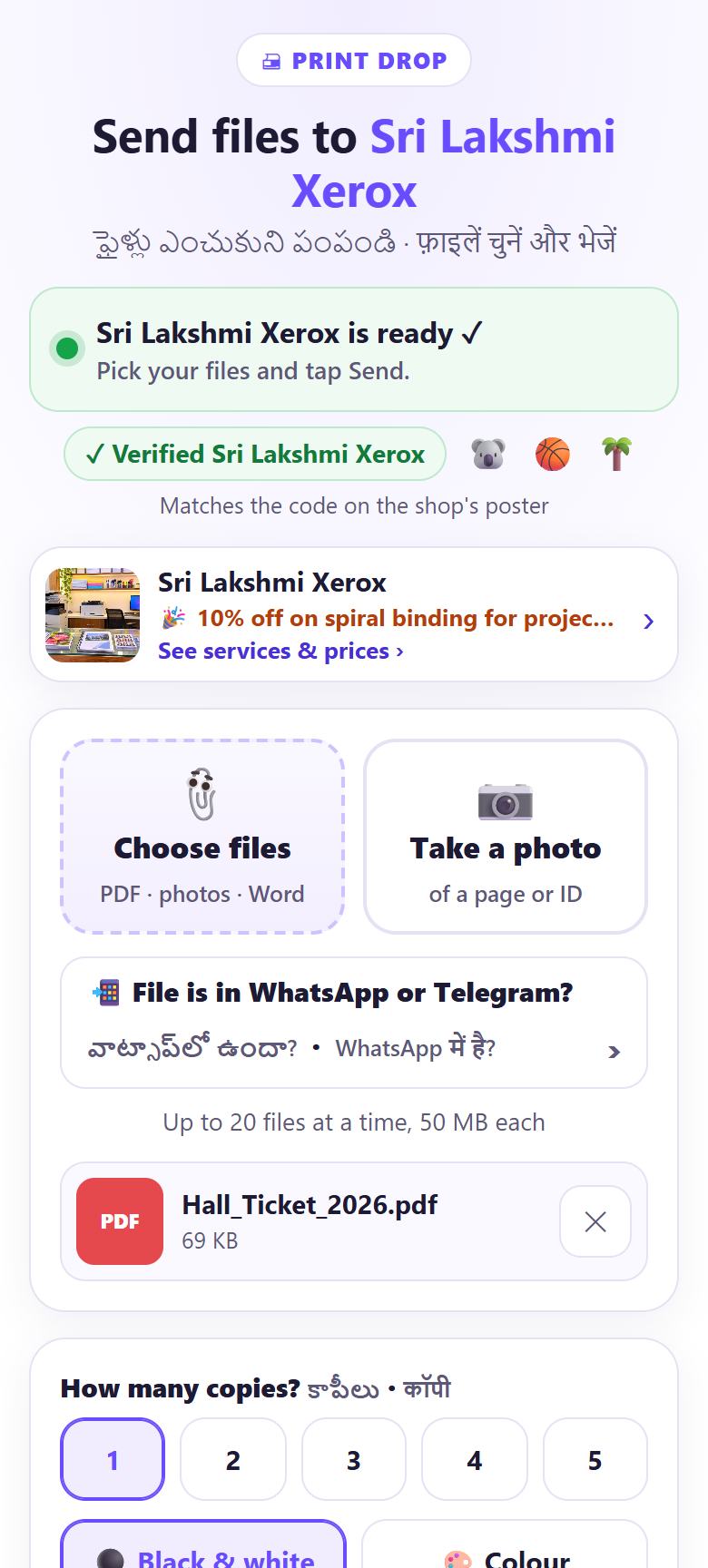
6Next time: share the file straight to SpriteSplit (Android)
Install SpriteSplit once: on spritesplit.com tap Install app at the top. Then in WhatsApp or Telegram, long-press the file, tap Share ↗ and pick SpriteSplit. Print Drop opens with the file already added, ready to send to the last shop you scanned.
💡 Tip: No Play Store needed: the Install app button adds SpriteSplit from the website. If you haven’t scanned a shop yet, the page asks you to scan the shop’s QR first.
Which files print best
- PDF prints exactly as it looks. Ask the sender for a PDF when you can.
- Photos of pages: shoot from straight above in daylight. For a clean black-and-white page, make a PDF first with Scan to PDF.
- Word and Excel files arrive too; the shop opens them in Word or Excel, so the layout can shift a little. Check the print.
- Passport photos or an Aadhaar card print? Passport photo print and Aadhaar card print make a ready sheet first.
📝 Example: Rahul prints an offer letter from WhatsApp
Rahul’s offer letter came as a PDF in a WhatsApp chat, and the joining form needs a signed printout today. Last month he tapped Install app on spritesplit.com, and he has scanned Sri Lakshmi Xerox’s QR before.
Standing outside the shop, he long-presses the PDF in WhatsApp, taps Share, picks SpriteSplit, and the Print Drop page opens with the letter already added for Sri Lakshmi Xerox. He chooses 1 copy, Black & white, and taps Send. Token 12. The shopkeeper never sees his WhatsApp.
🛠 If something goes wrong
SpriteSplit isn’t in the Share menu
Install it first: open spritesplit.com in Chrome and tap Install app at the top (or Chrome menu › Add to Home screen › Install). Sharing to it works on Android; on iPhone use Save to Files.
I shared a file but the page says “Scan the shop’s QR first”
Sharing sends to the last shop you scanned on this phone. Scan the counter QR once, then share again.
I can’t see the WhatsApp Documents folder
In the file picker tap ☰, choose your phone’s internal storage, and open Android › media › com.whatsapp. Some phones hide it; then open the chat, tap the file and use Share › SpriteSplit or Save to Downloads.
The photo of my page looks dark or tilted
Make a clean PDF first with Scan to PDF or the document scanner, then send that PDF.
My photo print looks soft
Untick Make photos smaller (faster) before sending so the full original goes to the shop.
Sending is slow on mobile data
Ask for the shop’s Wi-Fi; on the same Wi-Fi even big PDFs arrive in seconds. Keep the page open until it says Sent ✓.
🔒 Privacy in plain words
- The file goes from your phone straight to the shop’s computer, not to SpriteSplit’s servers and not to the shopkeeper’s WhatsApp.
- When you share a file to SpriteSplit, the phone keeps it only for a moment so the page can pick it up, then it is cleared.
- It is deleted from the shop’s computer after printing or after the time you choose (30 minutes or 1 hour at most).
Questions people ask
Can I print directly from WhatsApp?
Not to a shop’s printer. With Print Drop you share the file from WhatsApp to SpriteSplit (Android) or save it to Files (iPhone), then send it to the shop by its QR.
Is there a SpriteSplit app on the Play Store?
You don’t need one. Tap Install app on spritesplit.com and it works like an app, including the Share menu on Android.
Can I print a photo of a document?
Yes. Tap Take a photo on the Print Drop page, or send a photo from your gallery. For a sharper page, turn it into a PDF with Scan to PDF first.
Does my phone need to be on the shop’s Wi-Fi?
No, mobile data works. The shop’s Wi-Fi is faster for big files and helps if your network blocks the connection.
Can I send to a shop from home?
Only to a shop whose counter QR you have scanned or whose link they shared, and only while their Print Drop page is open.
Related guides