GST tax invoice, bill of supply or plain bill: which to give and how
Not every shop gives the same bill. If you are not registered for GST you give a plain bill with no tax. Under the composition scheme you give a bill of supply: you cannot collect tax, and the bill must say so. With regular GST you give a tax invoice with your GSTIN and CGST and SGST shown.
Counter Billing prints the right one for the type you choose. This part shows where to choose, what each bill looks like, and the options a CA usually asks for. It is a helper, not tax advice: ask your CA when unsure.
Steps
1Choose the bill type that matches your registration
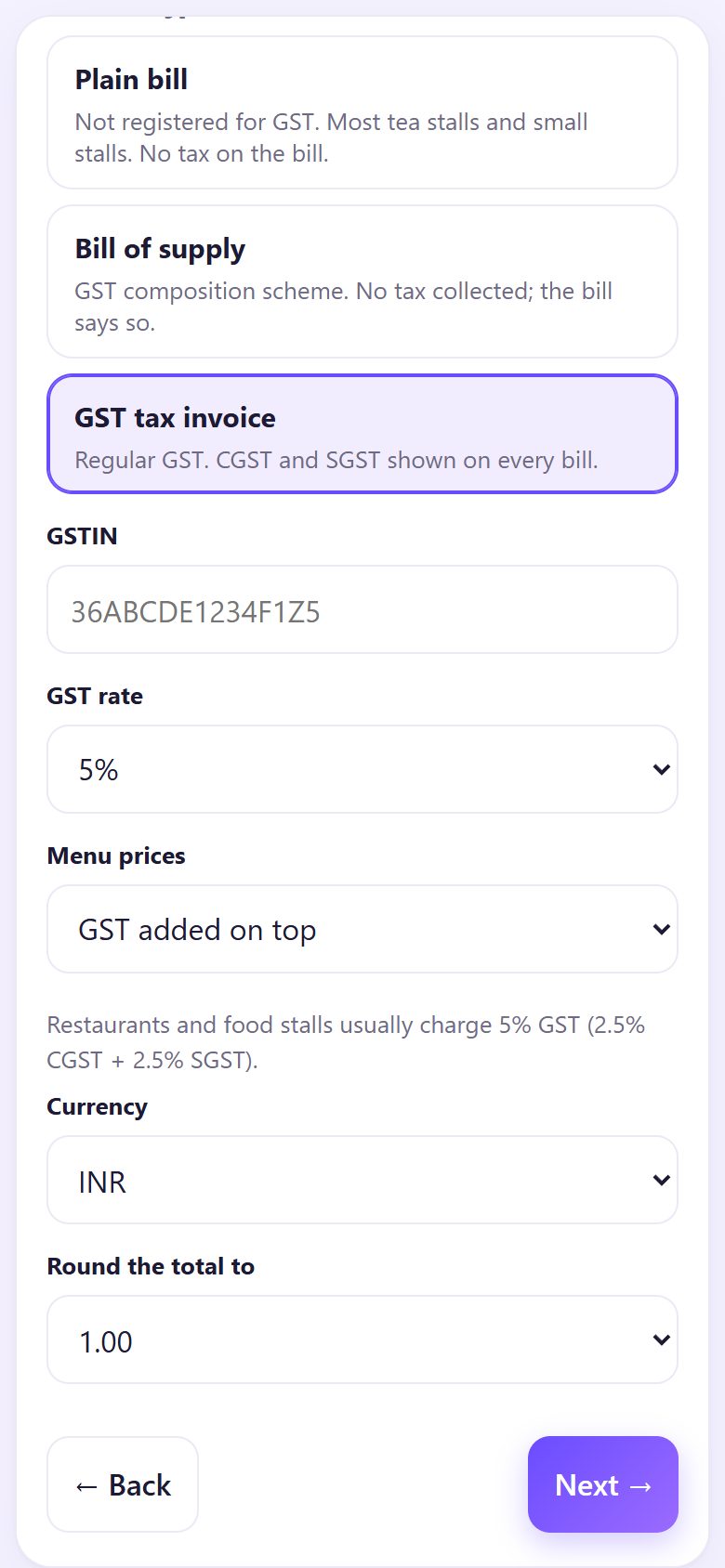
The choice is on set-up screen 2 (Country and tax) and later in Settings → Bill type and tax:
- Plain bill: not registered for GST. No tax on the bill.
- Bill of supply: GST composition scheme. No tax collected; the bill says so.
- GST tax invoice: regular GST. CGST and SGST shown on every bill.
2Type your GSTIN, GST rate and how prices are set
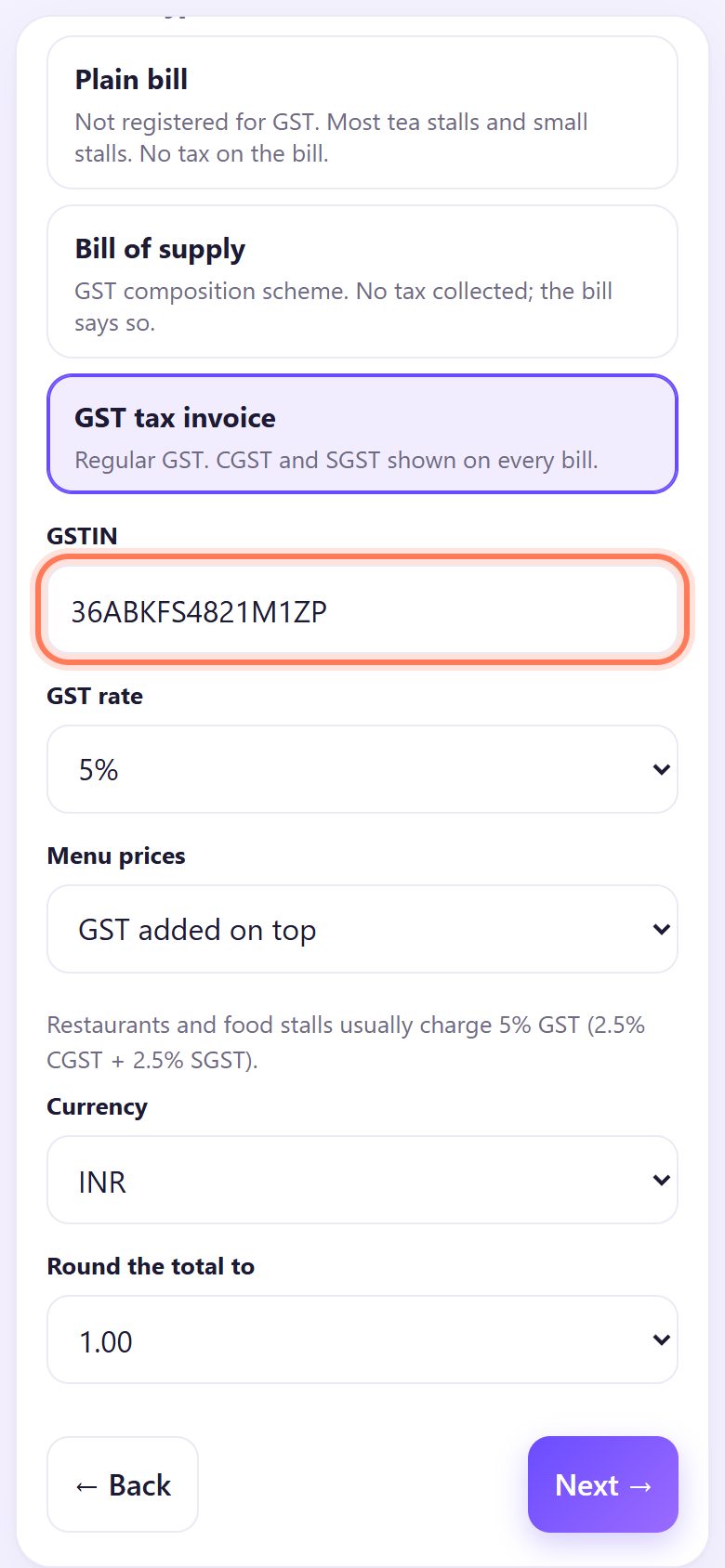
For a tax invoice, type the 15-character GSTIN. The app checks the state code at the start and the check letter at the end, so a single wrong character is caught.
Pick the GST rate (restaurants and food stalls usually 5%: 2.5% CGST + 2.5% SGST) and Menu prices: GST added on top (the menu price is before tax) or GST included (the menu price already has tax in it).
3Turn on “amount in words” and the SAC code
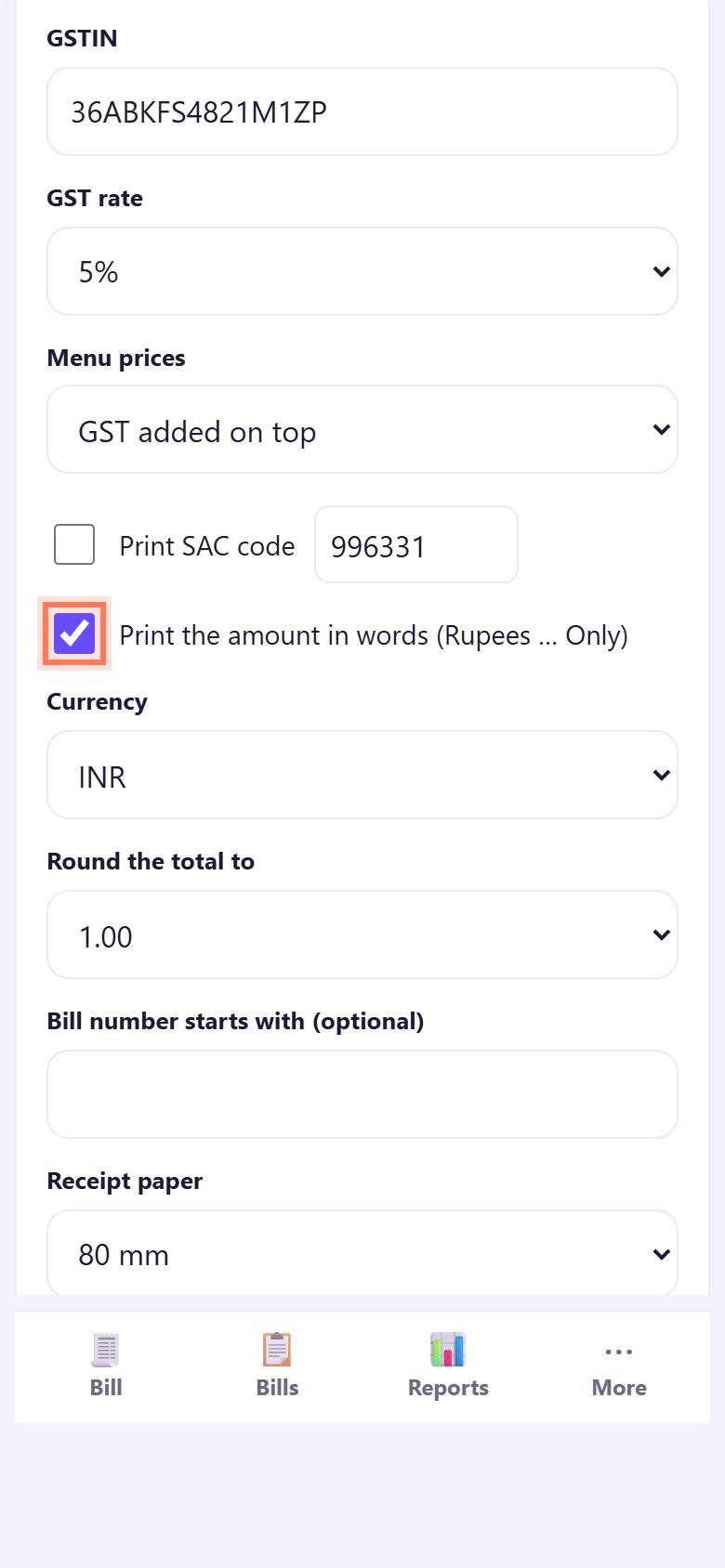
In Settings → Bill type and tax, tick Print the amount in words (Rupees … Only) to print a line like Rupees Two Hundred Ninety-Four Only. Tick Print SAC code if your CA wants the service code (996331 for restaurant service is filled in). Tap Save settings.
4A different rate for some items
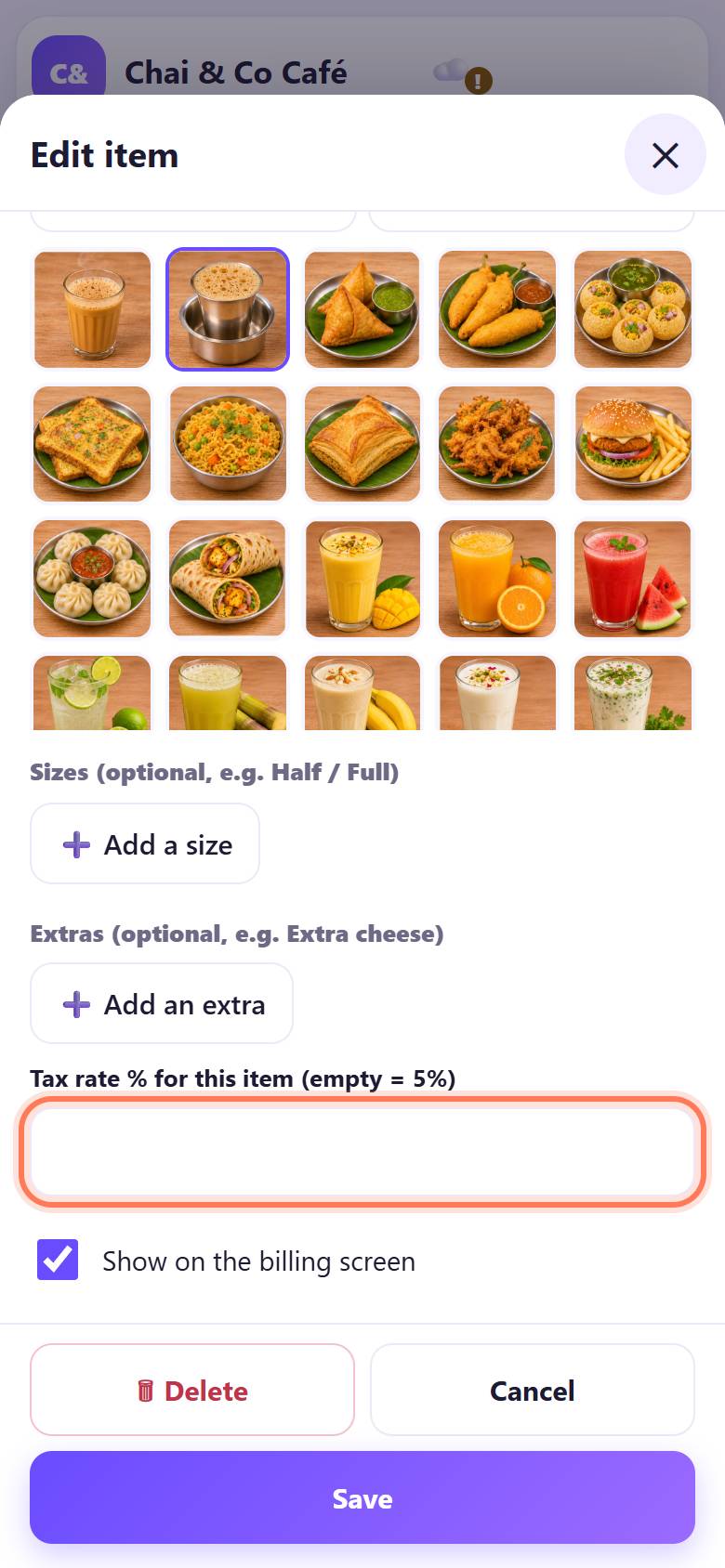
If an item has another GST rate (for example packed goods), open Menu, tap the item and fill Tax rate % for this item. Empty means the shop rate. Save. The bill then splits the tax by rate.
5Bill as usual: tax is added for you
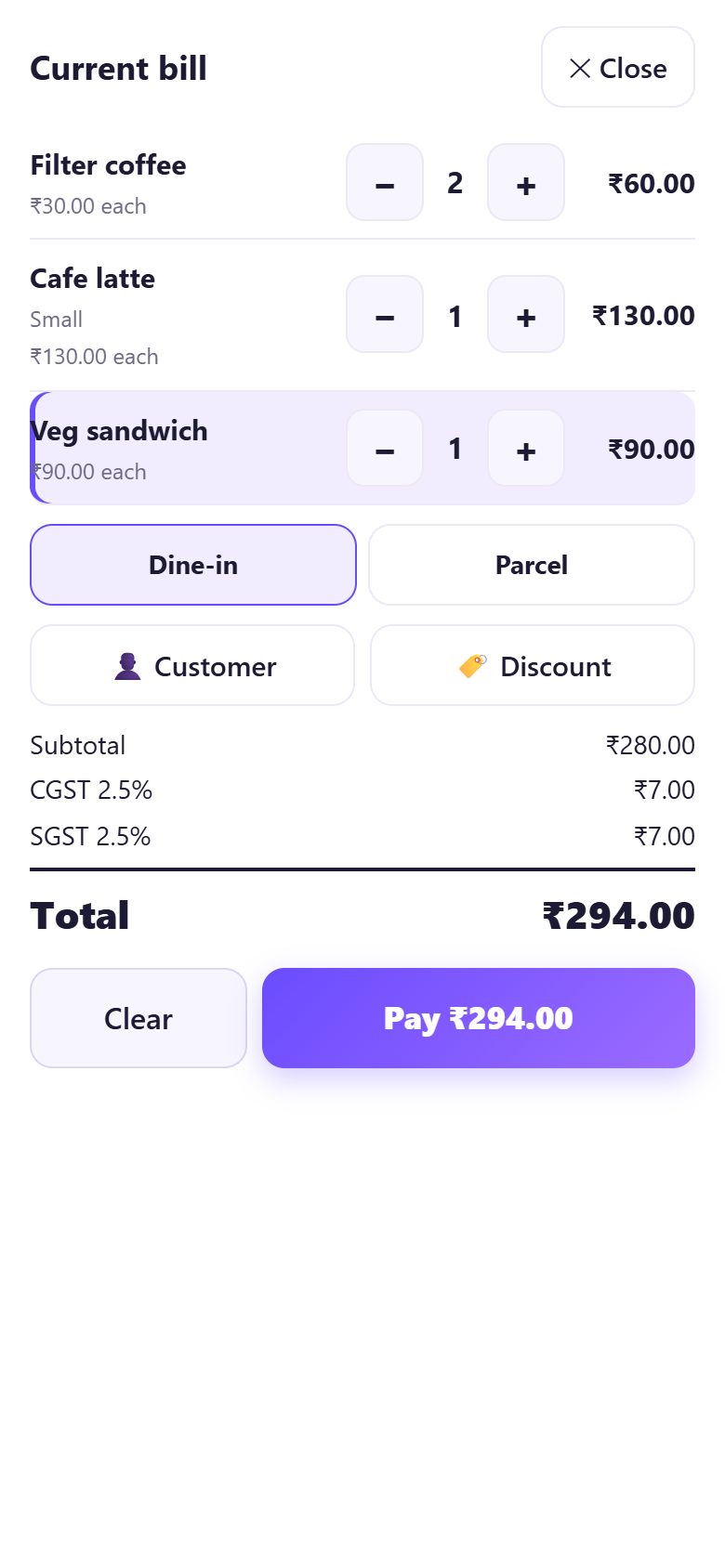
Make the bill as in part 2. The bill shows Subtotal, CGST 2.5%, SGST 2.5% and the Total. With prices GST included, the tax is worked out of the price instead and the total stays the menu total.
6The tax invoice on a 80 mm receipt
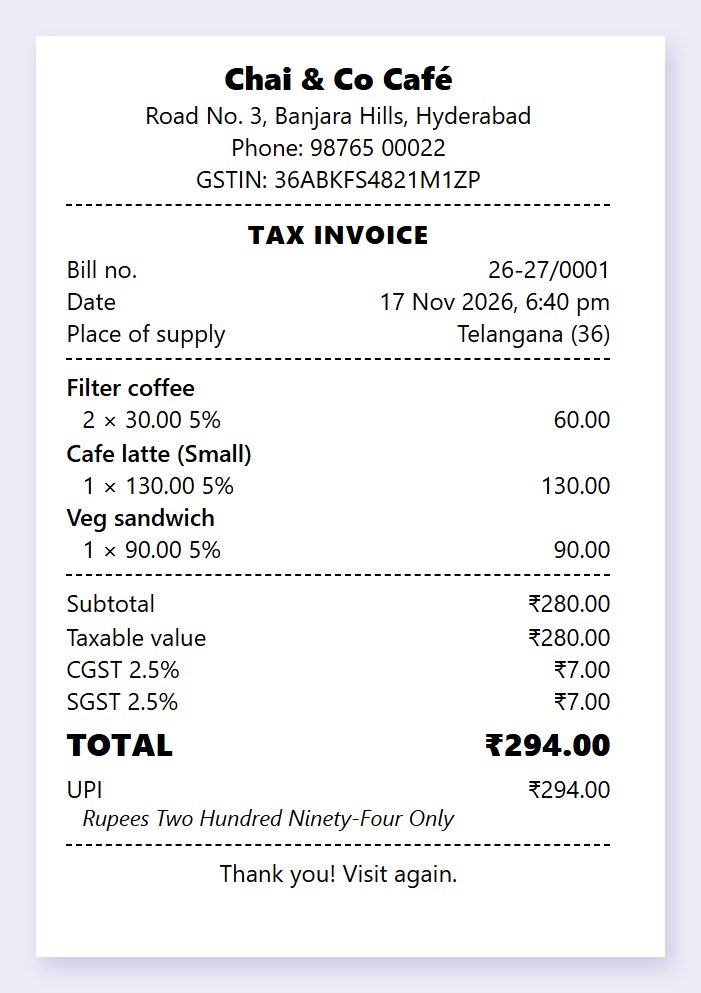
The printed TAX INVOICE has your GSTIN, bill number, date, Place of supply (from the GSTIN’s state code), each item with its rate, the Taxable value, CGST, SGST, the total and the amount in words.
7A4 tax invoice for business customers
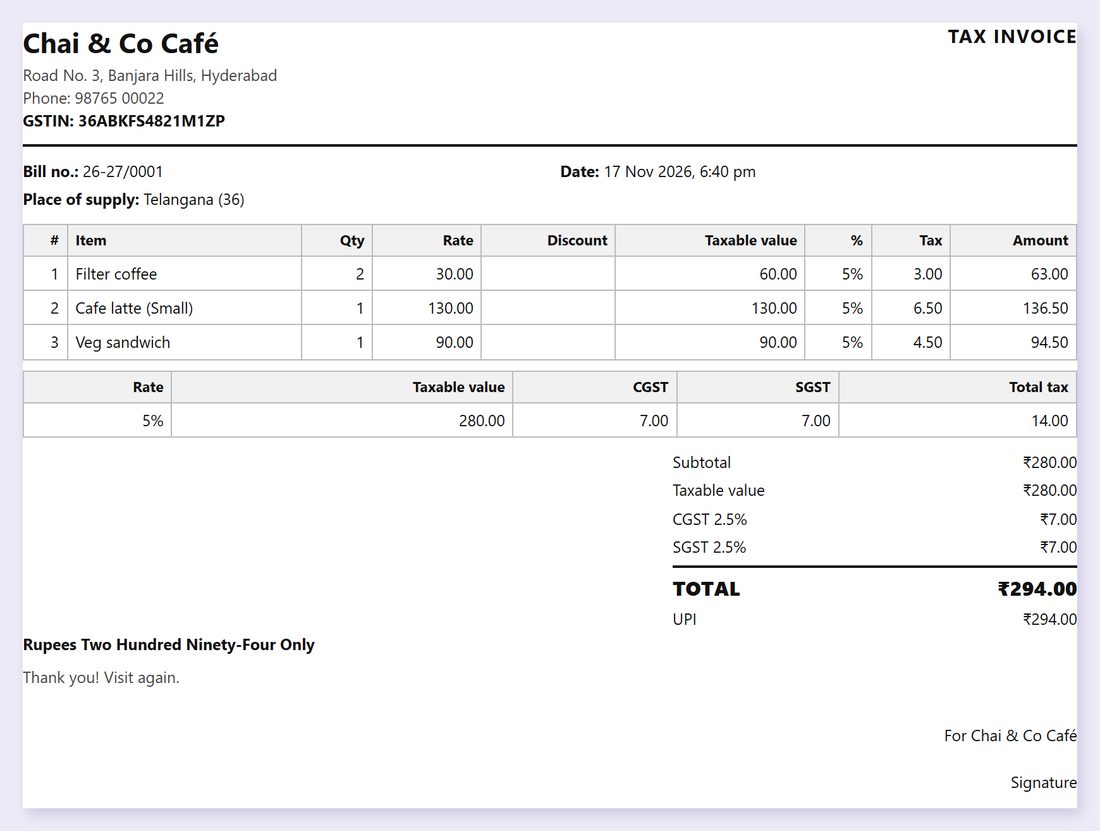
For a company or office order, tap the A4 paper button after saving the bill, then Print or save it as a PDF. It has a full table with taxable value per rate and a signature line.
8Composition: the bill of supply
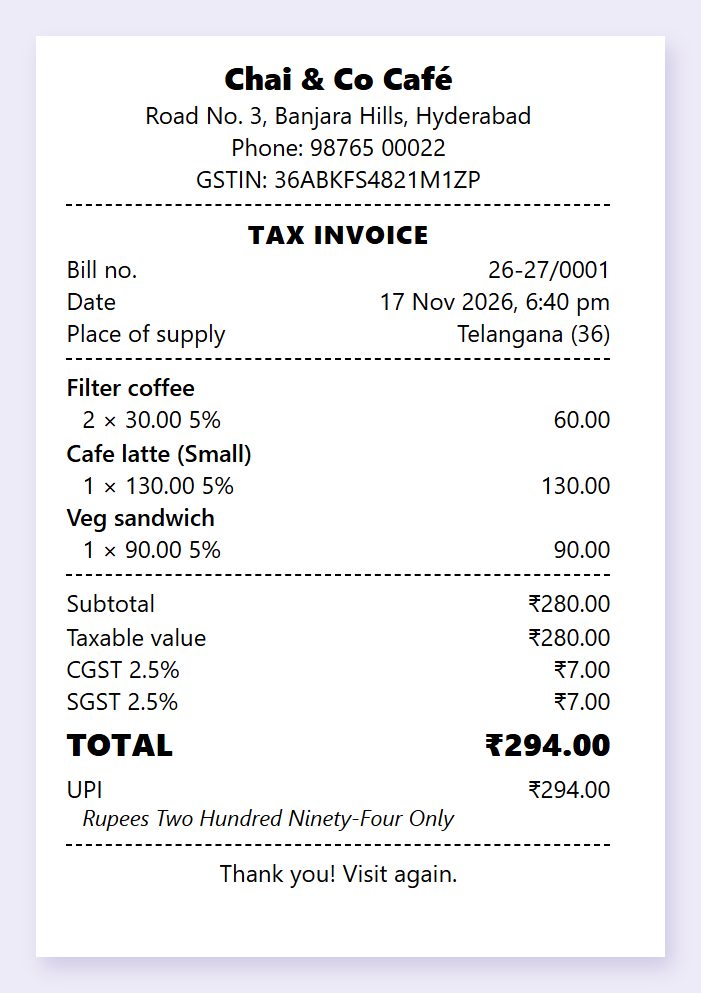
With Bill of supply chosen, the bill is headed BILL OF SUPPLY, shows your GSTIN, has no tax lines and carries the composition wording. Every month, Reports gives the totals your CA needs (part 7).
💡 What comes next: Next, give the customer a copy: a 58/80 mm print, an A4 invoice, a WhatsApp bill or a receipt QR.
📝 Example: Chai & Co Café moves from plain bills to tax invoices
Chai & Co Café in Banjara Hills crossed the GST limit and got registered under regular GST. Owner Farah opens Settings → Bill type and tax, picks GST tax invoice, types the GSTIN from her certificate, keeps 5% with GST added on top, and ticks Print the amount in words.
The next bill, 2 filter coffees, a café latte and a veg sandwich, prints as a TAX INVOICE: taxable ₹280, CGST ₹7, SGST ₹7, total ₹294. A software company that orders lunch every Friday asks for a proper invoice; she taps A4 and emails them the PDF.
🛠 If something goes wrong
“Please type your GSTIN”
A GST tax invoice or bill of supply needs your GSTIN. Type it, or choose Plain bill if you are not registered.
“The first two digits must be your state code”
The GSTIN starts with the state code: 36 Telangana, 37 Andhra Pradesh, 27 Maharashtra, 29 Karnataka, 33 Tamil Nadu, 07 Delhi. Check the certificate.
“The last character does not match”
One character is typed wrong. Copy the GSTIN again, slowly; O and 0, I and 1 are easy to mix up.
The tax looks one paisa off
CGST and SGST are each rounded to the paisa and the parts always add up to the total tax. Rounding the total (Settings → Round the total to) shows as a separate Round off line.
Old bills still show the old bill type
Saved bills never change. The new type applies from the next bill.
Do I need certified software?
Counter Billing is a free helper, not certified accounting software. Ask your CA whether it is enough for your business.
🔒 Privacy in plain words
- Your menu, bills and reports are saved only in this browser on this device. Nothing is uploaded to SpriteSplit.
- The UPI QR is made on your phone with your UPI ID and the amount. The money goes straight from the customer’s UPI app to your bank; Counter Billing never sees or touches payments.
- A customer’s name and phone are saved only if you type them.
- Because the bills live on one device, back up from Settings (a file or your own Google Drive). Without a backup, a lost phone means lost bills.
Questions people ask
I am not registered for GST. Can I show GST on my bill?
No. Only a registered person may collect GST. Choose Plain bill: it shows no tax.
What is a bill of supply?
The bill a composition-scheme dealer gives. No tax is charged on it, and it says the dealer is a composition taxable person.
Does the app file GST returns?
No. It gives the monthly totals by rate (taxable value, CGST, SGST) as a CSV for your CA, who files the return.
Can different items have different GST rates?
Yes. Set Tax rate % for this item in Menu. The bill and the GST summary split by rate.
Prices on my board include GST. Which option?
Choose GST included. The total stays the board price and the tax is worked out of it.
📚 Counter Billing step by step
All 21 parts
- 1Set up your counter
- 2Make a bill
- 3GST invoice and bill types
- 4Print, WhatsApp and QR receipts
- 5Menu: items, sizes, photos
- 6Close the day, count cash
- 7Reports & GST summary
- 8Backup, restore, PIN lock
- 9Café mode and tables
- 10Connect a kitchen screen
- 11Send KOTs to the kitchen
- 12Add a second counter
- 13Staff, roles and PINs
- 14Shifts and cash
- 15Refunds and credit notes
- 16Udhaar (credit) and dues
- 17Stock and recipes
- 18Owner dashboard
- 19Owner view on your phone
- 20Pharmacy set-up and medicines
- 21Daily pharmacy billing