How to track stock with recipes in Counter Billing (milk, cups, bread)
Running out of cups at 6 pm costs more than the cups. Simple stock keeps an eye on the few things that matter. You add them once (milk, cups, coffee powder, bread), tell each menu item what it uses (one cappuccino = 0.18 L milk + 1 cup), and every bill takes them away by itself. When something gets low you see a warning. Billing never stops because of stock: you are only warned.
Steps
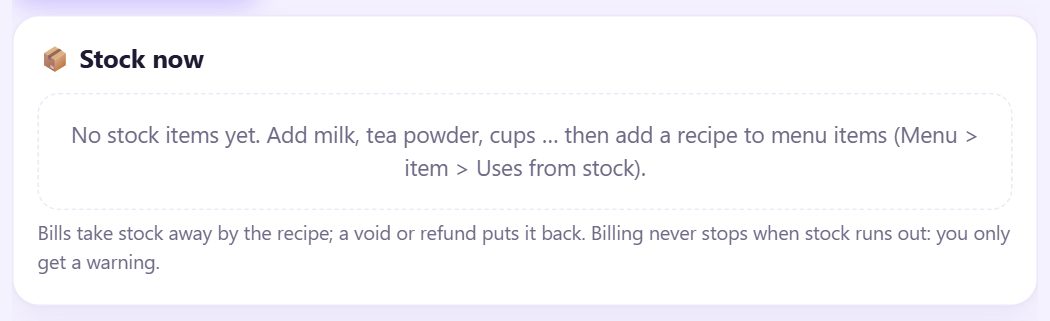
1Open Stock
Tap ⋯ More and then 📦 Stock. At first it says No stock items yet. If you do not see Stock, tick Simple stock with recipes in ⚙️ Settings › ☕ Café mode.
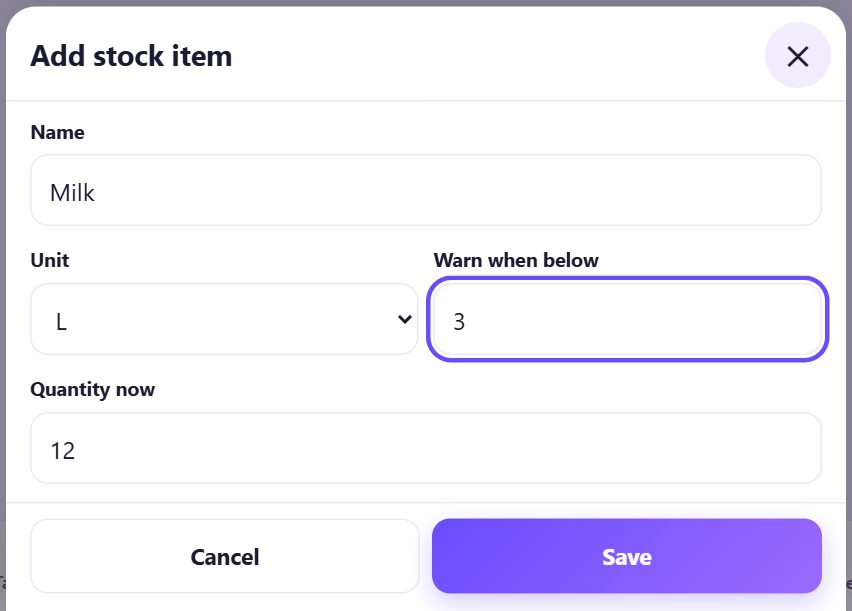
2Add a stock item
Tap ➕ Add stock item. Type the Name, choose the Unit (pcs, kg, g, L, ml, pkt), type Warn when below and Quantity now (what you have right now), and tap Save.
Start with five or six things you buy every day. You do not need every spoon of sugar.
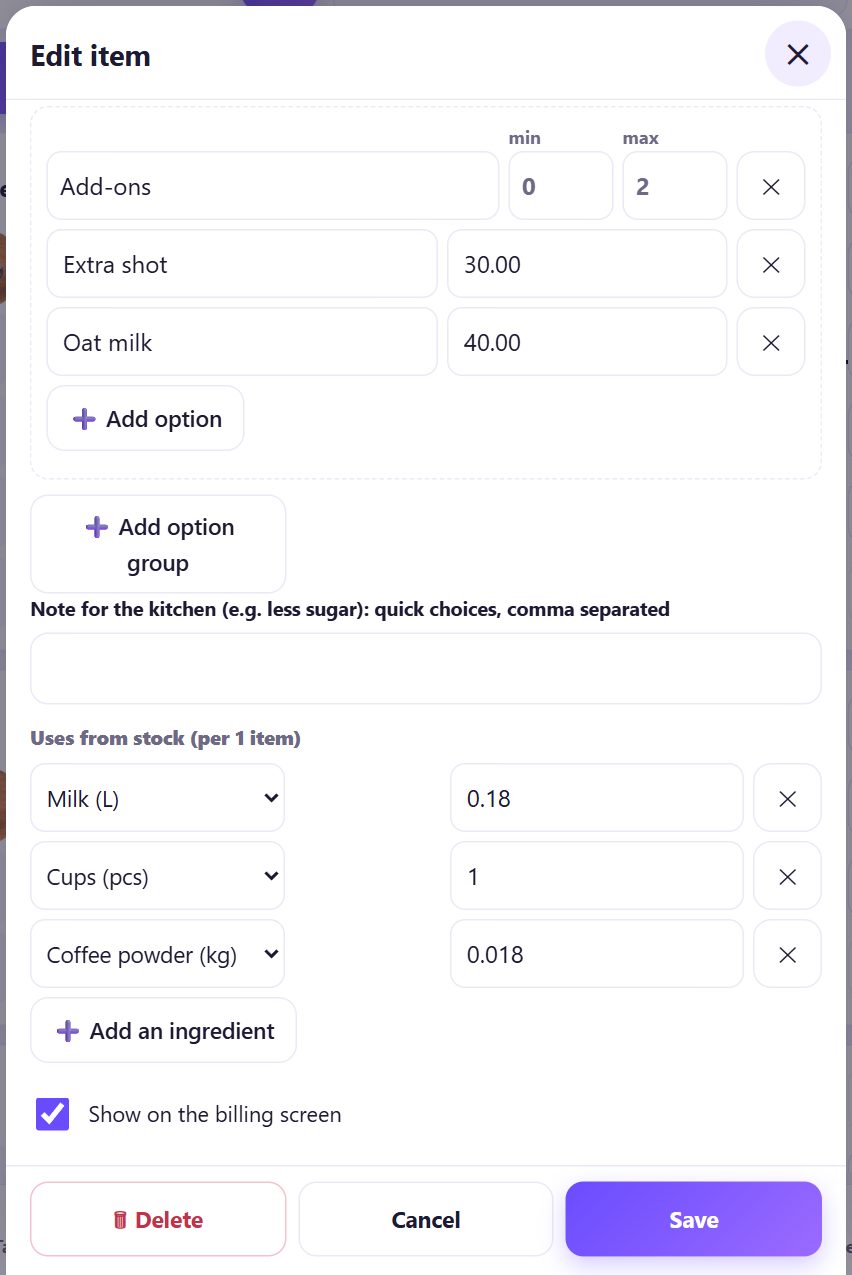
3Give menu items a recipe
Open 🍽️ Menu, tap an item and scroll to Uses from stock (per 1 item). Tap ➕ Add an ingredient, choose the stock item and type how much ONE item uses, in that unit: 0.18 for 180 ml of milk, 1 for one cup. Tap Save.
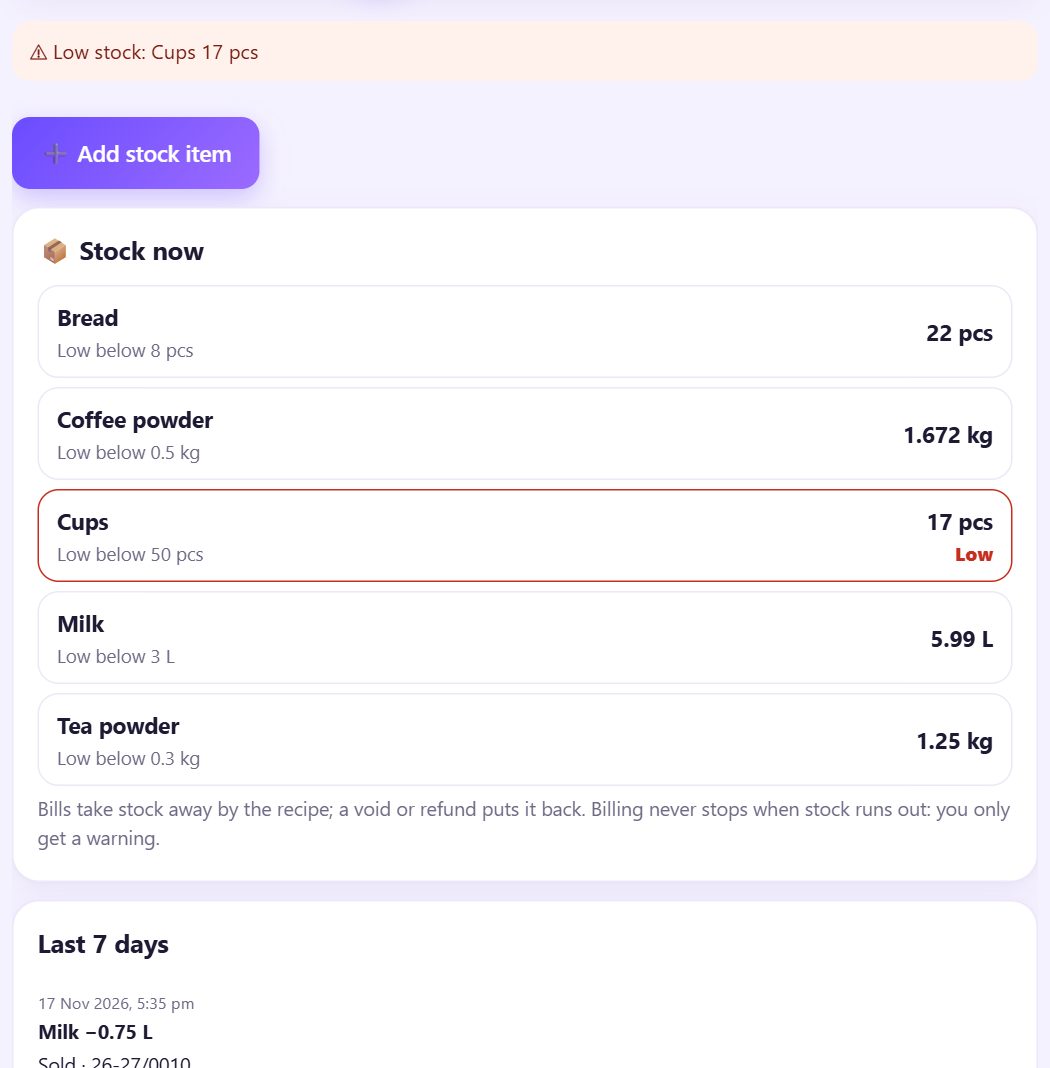
4Bill as usual: stock goes down by itself
Every bill takes the recipe amounts away. 📦 Stock now shows what is left, with Low in red; Last 7 days lists each movement with the bill number. A void or a refund puts the stock back.
5See the low stock warning
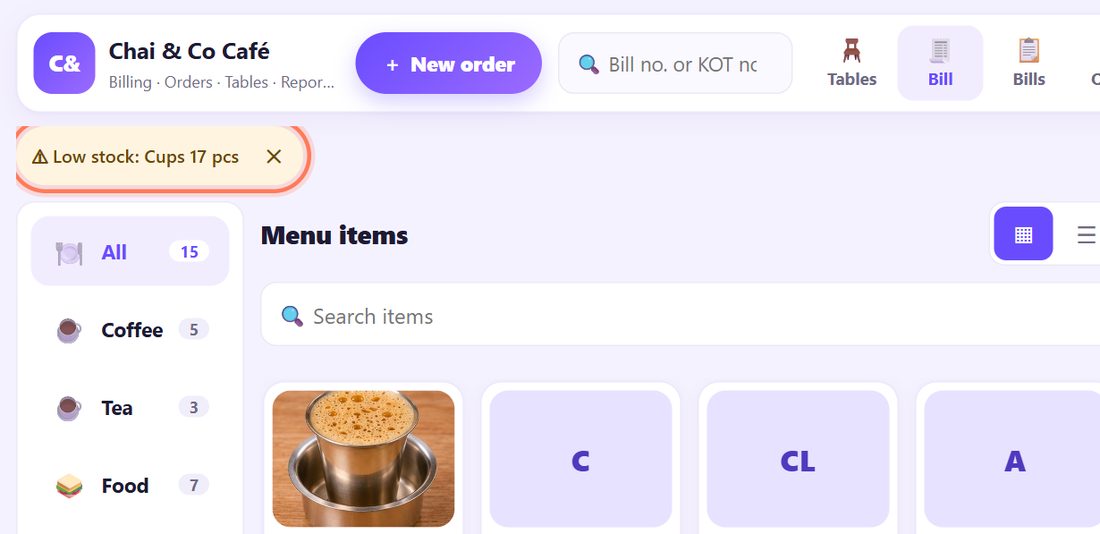
When an item goes below its warning level, a small chip ⚠ Low stock: Cups 17 pcs shows above the menu, and the 🔔 Alerts bell counts it. Tap ✕ to hide the chip for now. You can still sell; it is only a reminder to buy.
6Stock in: write what you bought
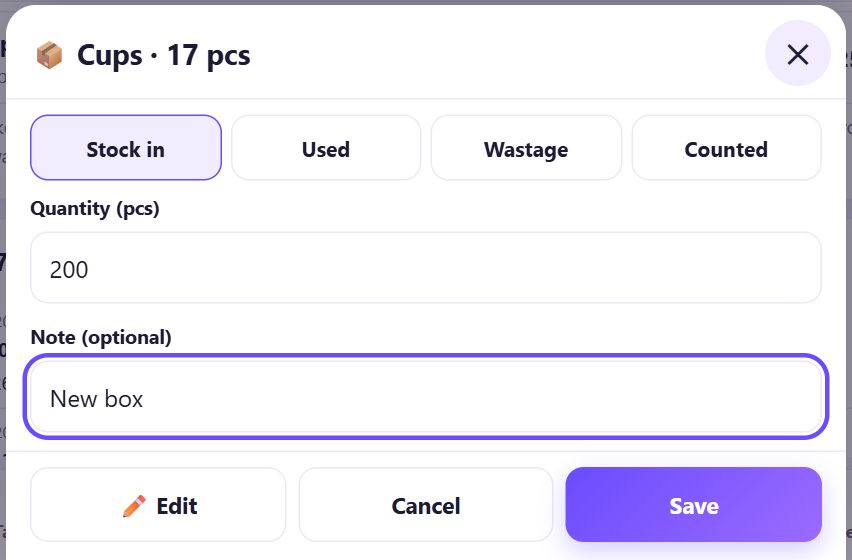
When a delivery comes, tap the item in 📦 Stock now, choose Stock in, type the Quantity and a Note (optional) such as the supplier, and tap Save.
7Wastage, used and counted
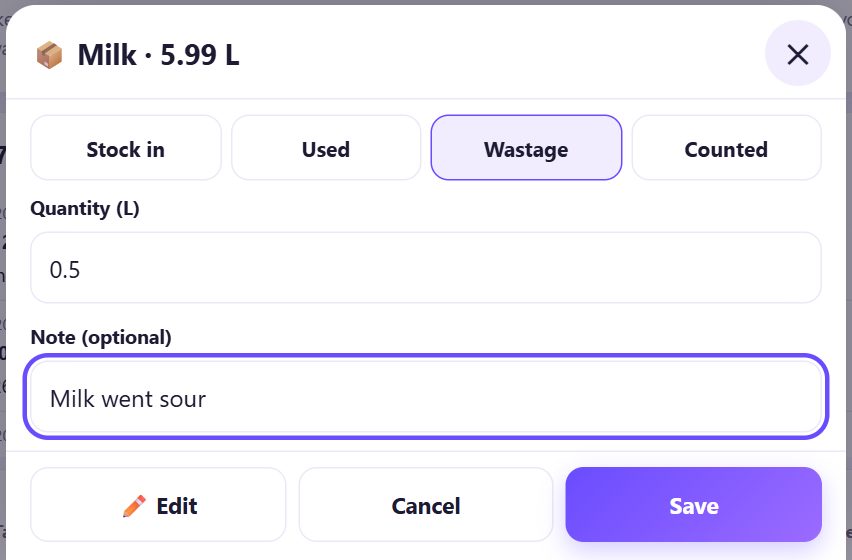
Spoilt or spilt? Choose Wastage. Taken out without a bill (staff tea, a sample)? Choose Used. After counting the shelf, choose Counted and type what is really there; the app sets the stock to that number.
8Stock usage in Reports
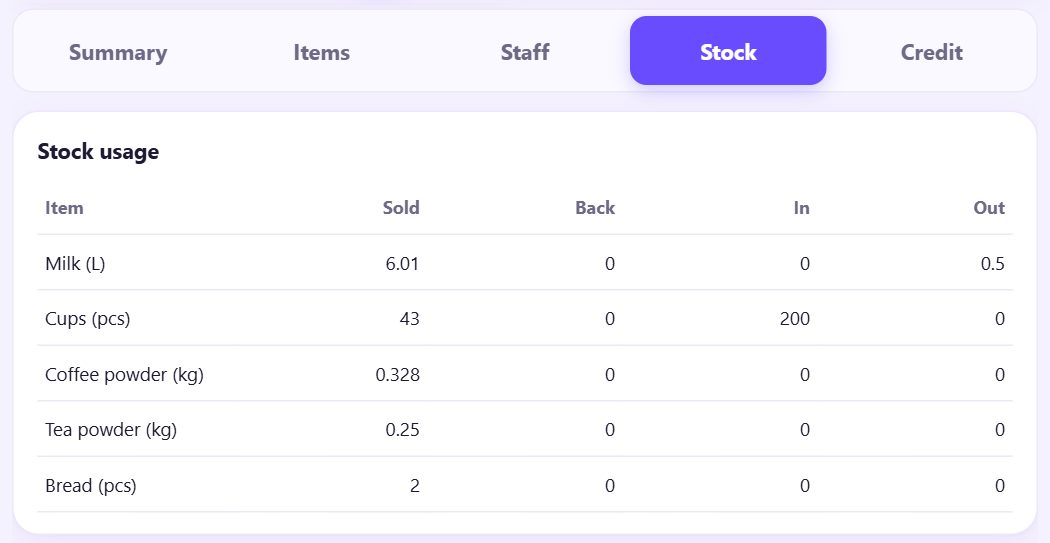
In 📊 Reports open the Stock tab. Stock usage shows for each item how much went out in bills (Sold), came back (Back), came in and went out as wastage or use, for the dates you pick.
💡 What comes next: Read the owner dashboard and see where money leaks out.
📝 Example: no more running out of cups
Chai & Co Café sells about 120 cups of tea and coffee a day. Meena adds Milk (L), Cups (pcs), Coffee powder (kg), Tea powder (kg) and Bread (pcs), with Cups warning below 50. Masala chai uses 0.1 L milk, 1 cup and 0.01 kg tea powder; Cappuccino uses 0.18 L milk, 1 cup and 0.018 kg coffee powder.
At 7 pm the chip says Low stock: Cups 17 pcs. Ravi sends for a box of 200 and writes Stock in. When half a litre of milk goes sour he writes Wastage. At the end of the week the Stock tab shows how much milk the menu really used, and Meena orders the right amount.
🛠 If something goes wrong
I do not see Stock in More
Tick Simple stock with recipes in ⚙️ Settings › ☕ Café mode and save.
“Add stock items in the Stock tab first.”
A recipe can only use stock items that exist. Add them in 📦 Stock, then edit the menu item again.
Stock went below zero
Billing never stops, so stock can go negative when a delivery was not written. Use Counted to set the real number.
The numbers drift from the shelf
Check the recipe amounts (per ONE item, in the item’s unit: litres not ml). Count once a week with Counted.
A helper cannot change stock
They need Change stock in their permissions, or the owner types a PIN when asked (part 13).
I do not want the warning chip
Tap ✕ on it. To stop warnings for one item, set Warn when below to 0 with ✏️ Edit.
🔒 Privacy in plain words
- Stock items, recipes and movements are kept only on this device and go into your backups.
- Nothing is sent to suppliers or to SpriteSplit; the app only reminds you.
Questions people ask
Does billing stop when stock runs out?
No. You only get a warning. The counter must never stop at rush hour.
Can I use grams or millilitres?
Yes. Pick g or ml as the unit; then the recipe is in that unit too. Do not mix L and ml for the same item.
What happens to stock on a void or refund?
A void puts the stock back. A refund puts it back when Put these items back in stock is ticked.
Do sizes use different amounts?
The recipe is per one item. For very different sizes, make separate menu items (Small coffee, Large coffee) with their own recipes.
Is this full inventory software?
No. It is simple stock for the few things a small café runs out of. For purchase bills and supplier accounts use proper inventory software.
📚 Counter Billing step by step
All 21 parts
- 1Set up your counter
- 2Make a bill
- 3GST invoice and bill types
- 4Print, WhatsApp and QR receipts
- 5Menu: items, sizes, photos
- 6Close the day, count cash
- 7Reports & GST summary
- 8Backup, restore, PIN lock
- 9Café mode and tables
- 10Connect a kitchen screen
- 11Send KOTs to the kitchen
- 12Add a second counter
- 13Staff, roles and PINs
- 14Shifts and cash
- 15Refunds and credit notes
- 16Udhaar (credit) and dues
- 17Stock and recipes
- 18Owner dashboard
- 19Owner view on your phone
- 20Pharmacy set-up and medicines
- 21Daily pharmacy billing